เริ่มจากห้องเปล่า
จบด้วยความรู้สึกเหมือนบ้าน
วางเรื่องราวการแต่งห้องสไตล์ Japandi และคอนโดไทย ตั้งแต่กล่อง Flat-pack จนถึงแสงอุ่นในช็อตสุดท้าย
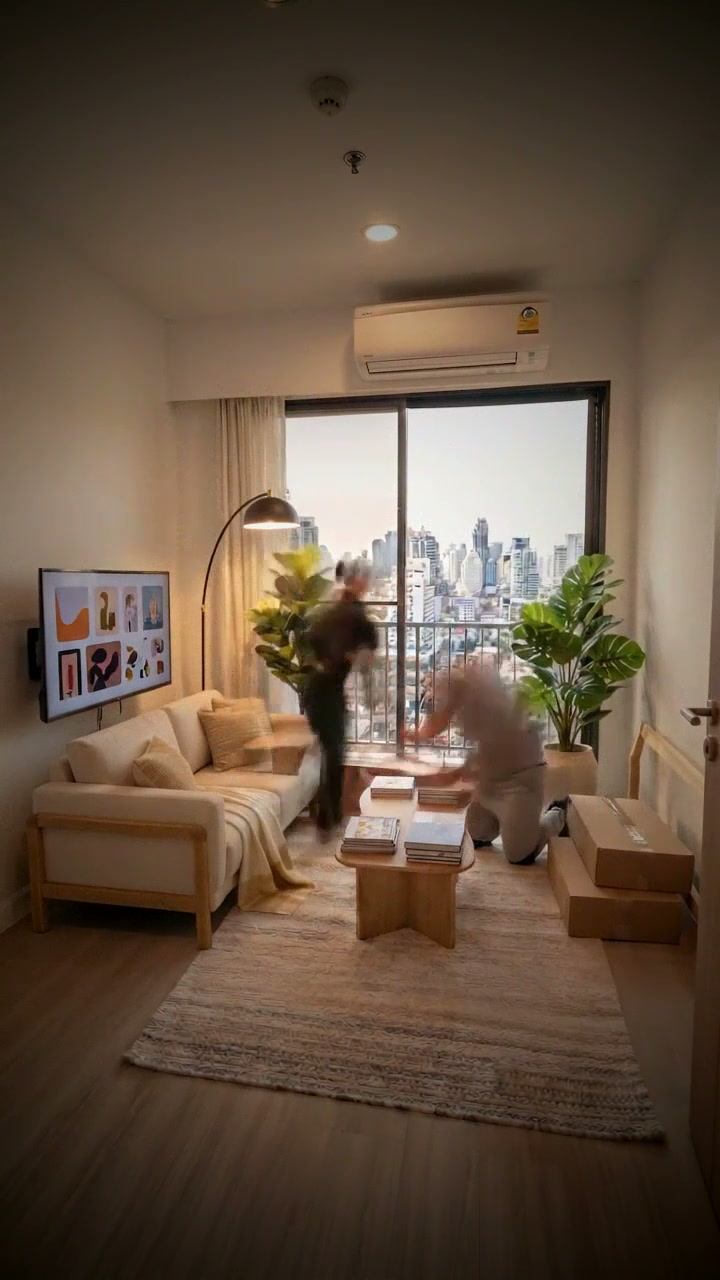
มีไอเดียก็เริ่มได้
ให้เครื่องมือช่วยเรียบเรียง
เลือกห้อง งานเฟอร์นิเจอร์ และบรรยากาศ เตรียมภาพห้องเปล่ากับภาพห้องหลังจัดเสร็จ แล้วให้เครื่องมือวางลำดับฉากประกอบบน Google Flow
- กดรับ License Key
- คัดลอก Key หรือข้อความที่ต้องการ
- เปิดเครื่องมือ Google Flow เพื่อวางใช้งาน
หน้านี้เป็นจุดรับ Key และคลังอ้างอิง การสร้างภาพและวิดีโอทำในเครื่องมือ Google Flow
ดูจังหวะ ค่อยต่อยอดเป็นงานของคุณ
เลือกคลิป ปรับความเร็ว หรือขยายภาพเพื่อดูรายละเอียดของผลงานตัวอย่าง
เลือกแนวทางที่อยากสร้าง
รวบรวมข้อความจากเอกสารจริง ทั้ง Prompt, Template และค่าพรีเซ็ต โดยระบุชนิดและไฟล์อ้างอิงแต่ละรายการ
Built-in wardrobepreset
Preset ต้นฉบับ · ค่าตั้งต้นและคำสั่งที่เอกสารระบุ · 0005-furniture-makeover-en.md
| ⭐ Built-in wardrobe | a1 b1 c1 d2 e1 f1 f2 g1 h2 i1 j1 j2 k2 l2 m1 n1 n2 n3 n6 o1 p2 q1 r1 s1 t1 u1 v1 w1 w2 w3 w4 w6 | 6 × 6 = 36 s |

Source prompt fragments:
pure satisfying flat-pack assembly, every second something clicks into place
tall built-in wardrobe assembled from flat pack to finished, sliding doors fitted
small bedroom with one window
small room about 12 square meters
empty bare room with white walls and a plain floor
bare empty floor
bare window with no curtain
Japandi style, calm natural wood, low furniture, soft neutral tones
matte white laminate furniture
walls stay plain white, only furniture is added
green potted plants
neatly styled bedding with layered linen
warm LED light glowing inside the wardrobe
white and light oak palette
two Thai carpenters in work polo shirts
flat pack to finished, IKEA-style assembly
panels click together with satisfying joints
wardrobe doors sliding on
LED strip light switching on
Bangkok condo window with city towers outside in Thailand
warm natural daylight
fixed tripod high in the corner showing the whole room
ultra wide angle 14mm, whole room in frame
workers immediately carrying flat-pack boxes into the empty room
wardrobe doors slide on and the inner LED lights up
fully furnished cozy styled room with warm ambient light
hyper-speed timelapse, satisfying click assembly
no camera shake, no camera movement
no person looking at the camera
no messy cables
no slow motion unless requested
no text, no watermark, no logos, no brand labels
Platform bed bedroompreset
Preset ต้นฉบับ · ค่าตั้งต้นและคำสั่งที่เอกสารระบุ · 0005-furniture-makeover-en.md
| Platform bed bedroom | a2 b2 c2 d3 e1 f1 f6 g2 h1 i1 j1 j2 j3 k3 l2 m1 n1 n4 n5 o3 p1 q1 r1 s2 t2 u2 v2 w1 w2 w3 w4 w6 | 6 × 6 = 36 s |

Source prompt fragments:
cold empty room becoming a warm cozy home
low wooden platform bed frame assembled, mattress placed, bedroom styled
master bedroom with a wide plain wall for the bed
medium room about 16 square meters
empty bare room with white walls and a plain floor
bare empty floor
a plastic-wrapped mattress leaning on the wall
Muji-like minimalism, light oak, white, beige, simple shapes
light oak wood furniture
walls stay plain white, only furniture is added
green potted plants
neatly styled bedding with layered linen
pillows fluffed and placed
two warm bedside lamps
white and light oak palette
two Thai carpenters in work polo shirts
flat pack to finished, IKEA-style assembly
mattress dropped onto the bed frame
pillows fluffing up
window facing a green tropical garden
soft morning light through the window
fixed tripod high in the corner showing the whole room
ultra wide angle 14mm, whole room in frame
a cardboard box sliced open and parts spilling out
mattress drops and bedding is styled in seconds
morning sunlight falling across the finished room
smooth hyperlapse, steady fast progress
no camera shake, no camera movement
no person looking at the camera
no messy cables
no slow motion unless requested
no text, no watermark, no logos, no brand labels
Floating shelf wallpreset
Preset ต้นฉบับ · ค่าตั้งต้นและคำสั่งที่เอกสารระบุ · 0005-furniture-makeover-en.md
| Floating shelf wall | a6 b3 c3 d3 e1 f1 f4 g4 h1 i1 j1 j4 j5 j7 k1 l1 m2 n2 o2 p2 q5 r4 s5 t3 u4 v4 w1 w2 w3 w4 w6 | 5 × 6 = 30 s |

Source prompt fragments:
styling-focused makeover, every object placed with care
three floating wooden shelves drilled onto a plain wall and styled
open living room with a sliding glass balcony door
medium room about 16 square meters
empty bare room with white walls and a plain floor
bare empty floor
exposed wall sockets and switch plates
Scandinavian style, pale wood, white, light textiles
light oak wood furniture
walls stay plain white, only furniture is added
green potted plants
books organized by color
framed prints on the wall or shelf
small ceramic vases
warm ambient light with an LED strip switched on
warm wood and cream palette
one Thai installer with a cordless drill
panels click together with satisfying joints
townhouse window facing a quiet Thai soi
warm natural daylight
fixed straight-on view of the feature wall
35mm close-up of the wall area
a quick drill burst fixing the first bracket
shelves filled with books, plants and frames in fast motion
clean held final frame with empty space for text
parts snap into place step by step
no camera shake, no camera movement
no person looking at the camera
no messy cables
no slow motion unless requested
no text, no watermark, no logos, no brand labels
Living room makeoverpreset
Preset ต้นฉบับ · ค่าตั้งต้นและคำสั่งที่เอกสารระบุ · 0005-furniture-makeover-en.md
| Living room makeover | a2 b4 c3 d4 e1 f1 f2 g3 h1 i6 j1 j6 j9 k5 l1 m3 n2 n8 n9 o1 p3 q1 r1 s1 t4 u7 v1 w1 w2 w3 w4 w6 | 6 × 6 = 36 s |

Source prompt fragments:
cold empty room becoming a warm cozy home
sofa assembled, coffee table placed, rug rolled out, TV mounted, curtains hung
open living room with a sliding glass balcony door
condo room about 22 square meters
empty bare room with white walls and a plain floor
bare empty floor
bare window with no curtain
modern cozy Thai condo style, warm wood and soft fabrics
light oak wood furniture
a large soft rug over the floor
green potted plants
a rug rolled out across the floor
a throw blanket draped casually
a tall warm floor lamp
warm wood and cream palette
a team of three Thai installers
panels click together with satisfying joints
TV mounted on the wall
rug rolling out across the floor
Bangkok condo window with city towers outside in Thailand
warm afternoon sun patches on the floor
fixed tripod high in the corner showing the whole room
ultra wide angle 14mm, whole room in frame
workers immediately carrying flat-pack boxes into the empty room
sofa, coffee table and rug land in quick succession
a Thai couple sits down on the new sofa
hyper-speed timelapse, satisfying click assembly
no camera shake, no camera movement
no person looking at the camera
no messy cables
no slow motion unless requested
no text, no watermark, no logos, no brand labels
Slat headboard wallpreset
Preset ต้นฉบับ · ค่าตั้งต้นและคำสั่งที่เอกสารระบุ · 0005-furniture-makeover-en.md
| Slat headboard wall | a5 b5 c2 d3 e1 f1 f3 g5 h3 i2 j2 j9 k1 l4 m2 n6 o6 p6 q5 r4 s3 t5 u6 v6 w1 w2 w3 w4 w6 | 4 × 6 = 24 s |

Source prompt fragments:
ordinary room turned into a luxury hotel suite feel
vertical wood slat panels installed behind the bed with an LED strip
master bedroom with a wide plain wall for the bed
medium room about 16 square meters
empty bare room with white walls and a plain floor
bare empty floor
single bare bulb on the ceiling
luxury hotel style, wood paneling, layered lighting, crisp linen
rich walnut wood furniture
vertical wood slat feature wall
neatly styled bedding with layered linen
a throw blanket draped casually
warm ambient light with an LED strip switched on
warm grey and walnut palette
one Thai installer with a cordless drill
LED strip light switching on
high-rise window with night city lights in Thailand
early evening with warm lamps
fixed straight-on view of the feature wall
35mm close-up of the wall area
the first big panel standing up against the wall
the last slat goes on and the LED strip glows
evening with every lamp glowing warmly
key action in real-time detail then hyperlapse
no camera shake, no camera movement
no person looking at the camera
no messy cables
no slow motion unless requested
no text, no watermark, no logos, no brand labels
WFH desk cornerpreset
Preset ต้นฉบับ · ค่าตั้งต้นและคำสั่งที่เอกสารระบุ · 0005-furniture-makeover-en.md
| WFH desk corner | a3 b6 c5 d5 e1 f1 f4 g2 h2 i1 j1 j4 j10 k7 l2 m1 n1 n10 o1 p2 q3 r2 s2 t6 u2 v1 w1 w2 w3 w4 w6 | 6 × 6 = 36 s |

Source prompt fragments:
tiny Thai condo room made to feel bigger and smarter
L-shaped work desk and tall bookshelf assembled, computer set up
empty corner of a condo room beside the window
studio about 25 square meters
empty bare room with white walls and a plain floor
bare empty floor
exposed wall sockets and switch plates
Muji-like minimalism, light oak, white, beige, simple shapes
matte white laminate furniture
walls stay plain white, only furniture is added
green potted plants
books organized by color
laptop, lamp and neat desk accessories
soft daylight only, no lamps
white and light oak palette
two Thai carpenters in work polo shirts
flat pack to finished, IKEA-style assembly
chair pushed in under the desk
Bangkok condo window with city towers outside in Thailand
warm natural daylight
fixed eye-level view into the corner
wide 16mm
a cardboard box sliced open and parts spilling out
the computer switches on and the chair is pushed in
morning sunlight falling across the finished room
hyper-speed timelapse, satisfying click assembly
no camera shake, no camera movement
no person looking at the camera
no messy cables
no slow motion unless requested
no text, no watermark, no logos, no brand labels
Curtains + light finalepreset
Preset ต้นฉบับ · ค่าตั้งต้นและคำสั่งที่เอกสารระบุ · 0005-furniture-makeover-en.md
| Curtains + light finale | a5 b7 c10 d2 e5 f2 f3 g1 h7 i1 j2 j9 k1 l1 m2 n7 o1 p3 q4 r3 s7 t7 u6 v5 w1 w2 w3 w4 w6 | 4 × 6 = 24 s |

Source prompt fragments:
ordinary room turned into a luxury hotel suite feel
blackout and sheer curtains installed, room light turns soft and cozy
bedroom wall with a large bare window
small room about 12 square meters
empty room with a bare window letting in harsh flat light
bare window with no curtain
single bare bulb on the ceiling
Japandi style, calm natural wood, low furniture, soft neutral tones
warm beige laminate furniture
walls stay plain white, only furniture is added
neatly styled bedding with layered linen
a throw blanket draped casually
warm ambient light with an LED strip switched on
warm wood and cream palette
one Thai installer with a cordless drill
curtains gliding open and closed
Bangkok condo window with city towers outside in Thailand
warm afternoon sun patches on the floor
fixed view facing the window wall
wide 24mm, natural perspective
the curtain rod snapping into its brackets
curtains glide closed and the room turns soft and cozy
evening with every lamp glowing warmly
realistic 4–8x speed-up
no camera shake, no camera movement
no person looking at the camera
no messy cables
no slow motion unless requested
no text, no watermark, no logos, no brand labels
4.2 Field "Room makeover story and vision"prompt
ข้อความต้นฉบับ · 0005-furniture-makeover-en.md
Furnish a small empty 12 m² bedroom in a Bangkok condo in Thailand, filmed from one fixed tripod high in the corner. Before: bare white walls, bare floor, a bare window with harsh light. Two Thai carpenters carry in flat-pack boxes, slice them open and click a tall white built-in wardrobe together in hyper-speed: side panels stand up, shelves and hanging rails click in, drawers slide in, sliding doors glide on. A warm LED strip lights up inside the wardrobe. After: a calm Japandi bedroom with the organized wardrobe, a styled bed, green plants and warm ambient light, no tools left behind.
4.4.1 Draw with AI prompts (MUST)template
ข้อความต้นฉบับ · 0005-furniture-makeover-en.md
Edit the reference photo (the empty room photo). Keep the exact same camera position, framing, lens, walls, window, air conditioner and floor. {ROOM_GUARD}
Furnish it: main furniture {b}, style {g}, furniture finish {h}, walls and floor {i}, styling {j[]}, lighting {k}, palette {l}, clearly visible {n[] items that describe the finished result, e.g. n3 wardrobe doors, n6 LED strip on}. No workers, no boxes, no tools.
Light: {p}. Story notes (lower priority than everything above): {story}
Avoid: {w[]}. {SINGLE_FRAME_SUFFIX}4.4.1 Draw with AI prompts (MUST)template
ข้อความต้นฉบับ · 0005-furniture-makeover-en.md
Edit the reference photo (the After photo of the real room). Keep the exact same camera position, framing, lens, walls, window and view, air conditioner, door, ceiling light, sockets and floor identical. {ROOM_GUARD}
Make it the empty room before the makeover: remove all furniture, decor, rugs, curtains, plants, lamps and LED strips ({b}, {j[]}, {k}). Condition: {e}, {f[]}, feel {ee}. Floor: {ea}. Walls: {eb}. Fixed features: {ec[]}. In the room: {ed[]}.
Where furniture is removed, show the bare floor and wall naturally (no ghost shadows, no outlines, no blank patches, no marks of furniture).
Light: {beforeLight}. No workers. Avoid: {w[]}. {SINGLE_FRAME_SUFFIX}4.4.1 Draw with AI prompts (MUST)template
ข้อความต้นฉบับ · 0005-furniture-makeover-en.md
Photorealistic interior photograph of {c}, empty. The room type must be exactly this. {ROOM_GUARD}
Size: {d}. Condition: {e}, {f[]}, feel {ee}. Floor: {ea}. Walls: {eb}. Fixed features: {ec[]}. In the room: {ed[]}. Window view: {o}, in Thailand. Light: {beforeLight}. Camera: {q}, {r}.
No workers, no furniture. Avoid: {w[]}. {SINGLE_FRAME_SUFFIX}6.2 Generation pool (MUST)template
ข้อความต้นฉบับ · 0005-furniture-makeover-en.md
You check storyboard keyframes for scene {n} of a locked-tripod furniture assembly timelapse in a room in Thailand.
Image A = the After image (layout target, for checking only). Image 0 = the image this scene was edited from (scene 1: the empty room photo). Images 1–3 = candidates.
Expected change: {visibleChange}. Adds: {adds}. Removes: {removes}. Crew action: {crewAction}. Positions: {layout}. Never changes: {fixedItems}.
For each candidate set false when:
singleFrame — collage, grid, split screen, several panels, border, inset, or a visible tripod;
spaceMatch — a different room type than {c} / job {b};
sameAngle — a different camera position, framing or lens than image 0;
progressVisible — looks the same as image 0, or shows furniture planned for later scenes (scene 1: shows the finished room);
layoutMatch — an item stands in a different place, side, size or orientation than in image A / Positions (e.g. bed on the left when image A has it on the right);
environmentMatch — anything outside Adds/Removes differs from image 0 (window and view, air conditioner, door, ceiling light, walls, floor, light direction).
Rank the remaining candidates by: smooth continuation of image 0 · every assembled piece still in place · change clearly visible · no text or brand labels, no distorted people or tools, Thai people and setting · beauty.
Reply: {"pick": 1|2|3|0, "reason": "max 12 words", "singleFrame": [..3], "spaceMatch": [..3], "sameAngle": [..3], "progressVisible": [..3], "layoutMatch": [..3], "environmentMatch": [..3]} (0 = none valid → redraw)9.2 System instructiontemplate
ข้อความต้นฉบับ · 0005-furniture-makeover-en.md
You are a director of viral ASMR furniture assembly and room makeover timelapses in Thai homes. Formula: one locked camera in the corner + empty bare room + fast satisfying flat-pack assembly + cozy styled room with warm light.
Plan backwards from the After (styling → lamps and LED → small furniture → doors, fronts, drawers → carcass → boxes → empty room), then OUTPUT THE SCENES IN FORWARD BUILD ORDER: scene 1 = the empty room photo plus the first action (progress 10–20 %); the finished After appears only in the last scene. Never start from the After state.
Rules:
1. LOCKED TRIPOD: same corner angle, framing and lens in every scene; no camera movement, no zoom (only extension scenes may move, and the plan never contains them).
2. anchorBlock (English, includes "in Thailand"): angle, framing, light = beforeLight, window view, room, palette. Used only in buildPrompt, identical in every scene.
3. promptMod (every scene, scene 1 included) = "Change only: <visibleChange>" + positions of its adds. ONE moment, one single full-frame photograph; never the words before, after, transformation, timelapse, hyperlapse, sequence, stages, step by step, progress, then.
4. First write layoutMap (positions from the After image), fixedItems (everything outside the job that never changes, with positions, from the empty room photo) and inventory.addItems / removeItems (After notes win over story). Assign every item to exactly one scene (adds / removes); progress rises to 100.
5. Arc: scene 1 Hook with immediate motion · Build scenes one clear item or stage each, similar size · second-to-last Climax ≥ 85 % (the most satisfying click or the lights switching on) · last Reveal = 100 %, every add present, every remove gone, no workers, boxes or tools; matches the After image's finish (its composition only if afterAngleMatch).
6. visibleChange and transformationStep (≤ 6 words) name real items with positions; never "Step N" or generic text; no two scenes alike. Workers change position and task (crewAction); boxes shrink; tools leave before the Reveal.
7. CONTINUITY: fixedItems (walls, window, door, air conditioner, sockets, floor) never change; every assembled piece stays in place. Light constant; it may change once when lamps or LED switch on near the Climax or Reveal.
8. buildPrompt: "Fixed tripod camera, no camera movement. Start: … Action: … in hyper-speed timelapse, flat pack to finished, satisfying click assembly … End: exactly matches … Background and lighting unchanged." naming this scene's adds, ending with "realistic assembly sounds, drilling, wood clicking, no music".
9. Thai people; the room, window view, sockets and air conditioner look Thai. Nobody looks at the camera. No text, watermark, brand labels or prices.
10. DIALOGUE only if the dialogue option is on and a person is in the scene: English line, polite, max 5/8/10/12 words for 4/6/8/10 s; append 'The Thai [role] says in Thai: "<dialogue>"'. Otherwise dialogue = "" and add "no speech".
11. ASMR: textures of wood grain, laminate, linen, rattan, metal hardware + one micro-detail per scene. Change size fits the duration; duration is exactly 4, 6, 8 or 10 (default {y}).
12. Use every selected option and every "Always avoid" item. All fields English. JSON only, no backticks.9.3 User prompttemplate
ข้อความต้นฉบับ · 0005-furniture-makeover-en.md
Story: {story} · Before notes: {beforeNotes} · Target After notes: {afterNotes}
Angle {a} · Job {b} · Room {c} · Size {d} · Before {e}, {f[]} · Style {g} · Finish {h} · Walls & floor {i} · Styling {j[]} · Lighting {k} · Palette {l}
Crew {m} · Must-see {n[]} · Anchor input: {q}, {r}, light {beforeLight}, window view {o}, {c}, {l}, in Thailand
Hook {s} · Climax {t} · Reveal {u} · Motion {v} · Avoid {w[]} · Scenes {x} · Seconds {y}
People: Thai lead carpenter = {pa}, Thai helper/stylist/owner = {pb} · Dialogue: {sd}9.4 Output JSONprompt
โครงสร้าง JSON ต้นฉบับ · 0005-furniture-makeover-en.md
{
  "projectType": "short name", "overviewSummary": "1–2 sentences",
  "layoutMap": [{ "item": "wardrobe", "position": "left wall, back corner to middle, full height" }],
  "fixedItems": ["window with city view, center", "air conditioner top left", "door right", "light grey floor tiles"],
  "inventory": { "addItems": ["…"], "removeItems": ["boxes, packaging, tools, workers …"] },
  "anchorBlock": "Fixed tripod camera, high in the corner showing the whole room, ultra wide angle 14mm, warm natural daylight, small bedroom in a Bangkok condo with city towers outside the window in Thailand, white and light oak palette, photorealistic",
  "leadBuilderDesc": "…", "siteExpertDesc": "…", "beforeDesc": "…", "finalPropertyDesc": "…",
  "scenes": [{
    "sceneNumber": 1, "beat": "Hook | Build | Climax | Reveal", "transformationStep": "≤ 6 words",
    "constructionScript": "what is visible", "visibleChange": "concrete change with positions",
    "adds": ["…"], "removes": ["…"], "progress": 15, "crewAction": "what the workers do",
    "dialogue": "", "asmrDetail": "…", "crew": "No Crew | Builder | Expert | Full Crew", "duration": 6,
    "promptMod": "Change only: …; positions: …",
    "buildPrompt": "Fixed tripod camera, no camera movement. Start: … Action: … End: … realistic assembly sounds, drilling, wood clicking, no music"
  }]
}9.7 💡 10 viral ideas prompt (text model, JSON only)template
ข้อความต้นฉบับ · 0005-furniture-makeover-en.md
Act as a viral interior timelapse idea generator for Thai homes.
Generate 10 different ideas. Each idea follows: fixed tripod, satisfying furniture assembly, BEFORE empty room -> ACTION fast furniture installation by Thai workers, hyper-speed, satisfying click assembly -> AFTER cozy styled room, in Thailand, no camera movement.
Cover a mix of: wardrobe, platform bed, floating shelves, TV wall, work desk, slat headboard wall, curtains, living room, kids room, dining nook. Styles: Japandi, Muji minimal, modern cozy Thai condo and others from the list. No two ideas share the same room and job.
For each idea return option codes from this list: {OPTION_GROUPS codes and labels for a–v}.
Reply: [{"title": "max 5 words", "line": "Before -> Action -> After, max 25 words", "story": "story text, 60–90 words, includes in Thailand", "codes": {"a":"a1","b":"b2", ...}}]9.8 ✨ AI suggest prompt for extension scenes (text model, JSON only)template
ข้อความต้นฉบับ · 0005-furniture-makeover-en.md
You see the last frame of a finished room furniture makeover video in Thailand. Suggest 3 short follow-up scenes that keep the room exactly as it is and make the ending more satisfying (camera showcase, light change, people or life moments).
Allowed option codes: xa (scene type), xb (camera), xc (motion feel), xd (what happens, multi), xe (4|6|8|10 s), xf (end frame). Labels: {xa–xf labels}.
Reply: [{"title": "max 5 words", "text": "what happens next, max 25 words", "codes": {"xa": "xa1", "xb": "xb2", "xc": "xc1", "xd": ["xd1"], "xe": 6, "xf": "xf1"}}]ไม่พบรายการ ลองเปลี่ยนคำค้นหรือปิดตัวกรองรายการโปรด
ลองเปลี่ยนตัวแปร เห็นข้อความทันที
ใช้ Template จากเอกสารต้นฉบับ ช่องที่แสดงตรงกับตัวแปรในรายการที่เลือก
อ่านคู่มือต้นฉบับ
อ่านรายละเอียดคู่มือต้นฉบับได้ด้านล่าง
0005-furniture-makeover-en.md
Thai Room Furniture Makeover Builder — Tool Spec
Base app: "ASMR Exterior Builder" (4 tabs: Story → Script → Board → Video). Keep its flow, logic and Flow SDK calls. Change: all option sets below, the "finished building" logic becomes Empty room → Fast furniture assembly → Cozy styled room, and every <select> becomes buttons.
Option format: code ⭐ = default · UI label — prompt fragment (sent to the image/video model, never shown as UI text). Every section marked MUST is required; the checklist (12) lists them.
0. Rules (MUST)
- All UI text and all AI-generated text shown to the user are English, exactly as written here. No translation layer. Prompts to image/video models are English.
- Thai context: all people are Thai (Thai faces, Thai carpenters in work polo shirts and cargo pants, Thai homeowners in casual clothes); the room is in Thailand (Thai condo or townhouse, Thai power sockets, aluminium sliding windows, split-type air conditioner, view of a Thai city, soi or garden). Every Anchor block contains
in Thailand; every person prompt containsThai. - Spoken dialogue is Thai (default: none): the AI writes the line in English (
dialogue), the video prompt saysthe Thai carpenter says in Thai: "<line>". Max words by shot length: 5 (4 s) · 8 (6 s) · 10 (8 s) · 12 (10 s); polite, friendly. - Sound: every video prompt ends with
realistic assembly sounds, drilling, wood clicking, no music(SOUND_LINE; music is added in post). - Units: meters, m², baht.
- Interior furniture only: assembling, installing and styling furniture, shelves, wall panels, curtains and lights. No demolition, no plumbing, no structural work.
- Click feedback is not optional (do not skip): every work button uses
<ActionButton>and every card uses<CardStatus>(2.1). A build without this is incomplete.
1. Concept
An app that creates viral, shot-by-shot ASMR furniture makeover timelapses of Thai rooms — bedrooms, living rooms, small condos, home offices — from one locked tripod in the corner. The user clicks buttons to choose the job, the room, the style, the materials, the crew, the light and the story beats. The AI plans real install steps between the empty room photo and the After image, writes the script, makes 3 storyboard images per scene and renders frame-to-frame videos: bare empty room → flat pack clicks together in hyper-speed → fully furnished, warmly lit, styled room.
- App title: "Thai Room Makeover — ASMR Furniture Assembly Builder"
- Subtitle: "Pick the room, the furniture and the style, and let AI turn an empty corner into a cozy room in one locked shot."
Project facts (viral formula from the source): fixed tripod in the corner, ultra-wide, camera locked · Before = empty bare room with white walls · Action = 2 Thai workers rapidly assembling flat-pack furniture, satisfying click assembly, no tool clutter · After = cozy Japandi / Muji / modern Thai condo room, warm lighting, plants and bedding · 4K photorealistic · 9:16 · tricks: "flat pack to finished, click together" · "warm ambient light, LED strip on" makes the After look expensive · realistic assembly sounds, no music. Jobs: built-in wardrobe, platform bed + bedroom, floating shelves wall, full living room, slat headboard wall, desk + bookshelf, curtains + light finish.
Key features (info modal): ✨ Start with AI — one click: images → analysis → plan → Script tab · Click-only — 50 option groups, no dropdowns · 7 one-click presets — the 7 proven furniture recipes · Real install order — boxes in → carcass → inside parts → doors and fronts → lights → styling → reveal · One locked shot — same corner, walls, window; only the furniture appears · Built to be watched to the end — boxes burst open → panels click up → lights switch on → cozy reveal · 💡 10 viral ideas · Real workshop sound, Thai dialogue optional.
2. Button UI rules
- Single choice = radio chips. Multi choice = toggle chips with ✓ (
f,j,n,w,ec,ed,ba–bd,vb,xd). Numbers = number buttons +−+(x). Shot length (y, per-scene "Shot length",xe) = chips4 s·6 s·8 s·10 sonly. - No
<select>anywhere. Long groups wrap or use a carousel. - Group header:
code · group name · current value+✨ AI pick·↺ Default·+ Custom. - Tab-level:
🎲 Random matching set(coherent combos only, e.g. neverb7curtains withq6top-down) · presets (4.1) ·💡 10 viral ideas(4.2). - Unavailable options dimmed + tooltip: "Omni 1.1 Flash only" · "Window not in frame" (
p7ando1–o7wheno8) · "Needs a bed" (n4,n5whenbis b3, b6, b8 or b10). - Group codes: Story
a–y· Before builderea–eg· Enginesza–zd· Peoplepa–pb· Scriptsa–sd· Boardba–bd· Videova–vd· Extensionxa–xf.
2.1 Click feedback — implementation contract (MUST — do not skip, do not simplify)
<ActionButton> — every button in the table below (no plain <button> for these):
type BtnState = 'idle' | 'pressed' | 'queued' | 'busy' | 'done' | 'failed';
// pressed: set synchronously in onClick BEFORE any await (darker fill + scale 0.97), within 100 ms
// queued : spinner + "Queued · starts in {eta} s"   (disabled, small ✕ cancel)
// busy   : spinner + busyLabel + elapsed "0:12"      (disabled, small ✕ cancel)
// done   : green "✓ Done" 1.5 s → idle · failed: red "⚠ Failed · ↻ Retry" (tooltip = error)
// state follows the job in the pool (6.2). Never icon-only (no lone hourglass); aria-busy while queued/busy.
<CardStatus> — on every reference card (Story, Script), Storyboard card and Video card:
type CardState = 'idle'|'waiting'|'queued'|'generating'|'checking'|'locked'|'rendering'|'done'|'failed'|'cancelled';
// top-right chip, always visible: waiting (grey, no spinner) "Waiting for scene 2 pick" · queued (blue) "Queued #2 · starts in 4 s"
// generating (amber) "Generating 2/3 · 0:18" · checking "Checking images…" · rendering "Rendering video · 0:41 / 3:00"
// locked/done (green) "Locked #2" / "Done" · failed (red) "Failed · Retry"
// while working: glowing border + thin progress bar; each option slot: shimmer + spinner + "#2 generating… 0:09";
// a finished slot appears at once (do not wait for all 3)
Buttons that MUST use it (busy label in brackets):
| Tab | Buttons |
|---|---|
| Header / pool | Download all (N) ("Downloading 3/6…") · 🧹 Clear stuck · ⏹ Stop all ("Stopping…") · Follow progress toggle |
| Story | ✨ Start with AI (stepper label, e.g. "Drawing After… 0:14") · Generate makeover plan ("Planning…") · Draw with AI on Before / After / Before builder ("Drawing…") · Analyze ("Analyzing…") · 💡 10 viral ideas ("Thinking…") · ✨ AI pick ("Picking…") · 🎲 Random… (pressed + done) |
| Script | reference bar buttons · ↻ Re-plan ("Planning…") · Rewrite description ("Rewriting…") |
| Storyboard | Generate storyboard / ↻ Generate 3 new ("Generating 0/3…") · slot ↻ · ✨ Suggest best ("Checking…") · ✓ Lock scene … & generate scene … · ↻ Update from previous · ⟲ Reset scene · slot ✕ Cancel / ↻ Retry / ⚡ Force run · click an image to lock ("✓ Locked" within 100 ms) |
| Video | Generate clip / ↻ Re-render ("Rendering… 0:41") · Render all scenes ("Rendering 2/6…") · + Add scene · ✨ AI suggest · ✨ Write motion prompt ("Writing…") · Download · ▶ Play / ⏹ Stop |
Reference badge (MUST): every option slot shows a thumbnail + Edited from: Scene 1 · #3 (scene 1: Edited from: Empty room photo). A storyboard image request without its reference image is not sent; the slot shows ⚠ Reference missing · ↻. Never generate a storyboard image from text alone.
Acceptance test (must pass before delivery): ① click Generate storyboard → button darker within 100 ms, then spinner "Generating 0/3…"; card chip amber; 3 slots shimmer ② clicking again while busy does nothing (no second job) ③ slots 2 and 3 count down "Starting in N s…" (6.2) ④ each image appears at once, chip counts "2/3" ⑤ a forced error shows "⚠ failed · ↻" and chip "Failed · Retry" ⑥ Generate clip shows "Rendering… 0:01" counting up, chip "Rendering video · 0:01 / 3:00", glowing border, then "✓ Done" + ▶ Play ⑦ every button in the table behaves the same.
2.2 Regenerate controls (MUST)
↻ Generate 3 newreplaces the 3 options (the locked image stays locked until a new pick); with no options yet it readsGenerate storyboard. Slot↻regenerates one slot.✎ Edit changeedits "Visible change".- "Visible change" is never empty (filled from
visibleChange); if empty, generate buttons are disabled ("Add the visible change first"). - When scene n is regenerated or re-locked, scenes n+1… made from the old image (and their videos) get the yellow badge
Ref changed+↻ Update from previous.
3. Header
Tabs 1. Story · 2. Scene Script · 3. Storyboard · 4. Video Render · counters Shots N / Locked N / Videos N · Download all (N) · pool indicator (6.2).
4. Tab 1 — Story
4.0 ✨ Start with AI — one-click start (MUST — the most prominent button of the app)
Look: full-width button at the top of the Story tab, above the presets — large (min 56 px high), gradient accent colour, icon ✨, label ✨ Start with AI, sub-label "Images → analysis → plan, in one click". The same button also sits next to Generate makeover plan in "Your selections" (4.7). It uses <ActionButton> (2.1).
One click runs, in order (each step only after the previous one succeeded; every request through the generation pool 6.2):
1. Prepare — if no option was touched, apply the ⭐ preset; if the story field is empty, fill it with the preset story. Existing images and notes are kept, never redrawn.
2. Reference images (4.4 rules, automatic mode):
- both images set → skip
- only After set → draw Before (empty room) from the After photo (Before from After, 4.4.1)
- only Before (empty room) set → draw After as an edit of it
- none set → draw Before (empty room) from the Before builder chips, then After as an edit of it
- a draw that fails its check (space/room, angle, removal marks) is redrawn once automatically; if it fails again the run pauses (see below).
3. Analyze both images (notes + layoutMap), unless their notes already exist.
4. Angle match (4.4) — on mismatch: one automatic Redraw After from Before; if still different, pause.
5. Input check (5.1) — on conflict the run uses the default priority (After image + notes win) and shows the note "Story adjusted to the After image".
6. Generate plan — same as Generate makeover plan incl. validation and one re-plan (5.1, 9.6).
7. Open the Script tab and scroll to the top, toast "Plan ready — check the script, then go to Storyboard".
Progress panel (opens under the button while running): a vertical stepper Prepare → Draw Before (empty room) → Draw After → Analyze → Check angle → Plan → Open script; each step shows ⏳ waiting · spinner + elapsed 0:12 · ✓ done · ⏭ skipped (already there) · ⚠ failed; the image steps show a live thumbnail as soon as the image arrives. Buttons ⏹ Cancel (stops after the running request; finished images are kept) and, when paused, ↻ Retry step · Fix it myself (closes the panel and scrolls to the problem).
- If a plan already exists: confirm first "A new plan replaces all current scenes, images and videos. Download your work first?" Create new plan · Cancel.
- The run never goes past the Script tab: storyboard images are still picked by the user (6.1).
4.1 Section "One-click presets"
| Preset (UI) | Values | Scenes × sec |
|---|---|---|
| ⭐ Built-in wardrobe | a1 b1 c1 d2 e1 f1 f2 g1 h2 i1 j1 j2 k2 l2 m1 n1 n2 n3 n6 o1 p2 q1 r1 s1 t1 u1 v1 w1 w2 w3 w4 w6 | 6 × 6 = 36 s |
| Platform bed bedroom | a2 b2 c2 d3 e1 f1 f6 g2 h1 i1 j1 j2 j3 k3 l2 m1 n1 n4 n5 o3 p1 q1 r1 s2 t2 u2 v2 w1 w2 w3 w4 w6 | 6 × 6 = 36 s |
| Floating shelf wall | a6 b3 c3 d3 e1 f1 f4 g4 h1 i1 j1 j4 j5 j7 k1 l1 m2 n2 o2 p2 q5 r4 s5 t3 u4 v4 w1 w2 w3 w4 w6 | 5 × 6 = 30 s |
| Living room makeover | a2 b4 c3 d4 e1 f1 f2 g3 h1 i6 j1 j6 j9 k5 l1 m3 n2 n8 n9 o1 p3 q1 r1 s1 t4 u7 v1 w1 w2 w3 w4 w6 | 6 × 6 = 36 s |
| Slat headboard wall | a5 b5 c2 d3 e1 f1 f3 g5 h3 i2 j2 j9 k1 l4 m2 n6 o6 p6 q5 r4 s3 t5 u6 v6 w1 w2 w3 w4 w6 | 4 × 6 = 24 s |
| WFH desk corner | a3 b6 c5 d5 e1 f1 f4 g2 h2 i1 j1 j4 j10 k7 l2 m1 n1 n10 o1 p2 q3 r2 s2 t6 u2 v1 w1 w2 w3 w4 w6 | 6 × 6 = 36 s |
| Curtains + light finale | a5 b7 c10 d2 e5 f2 f3 g1 h7 i1 j2 j9 k1 l1 m2 n7 o1 p3 q4 r3 s7 t7 u6 v5 w1 w2 w3 w4 w6 | 4 × 6 = 24 s |
Preset = codes + story text (MUST): a preset also replaces the story field with its matching story preset (same order as the story buttons) and clears reference images drawn for another preset. If the user typed their own story: confirm "Replace your story text with the preset story?" Replace · Keep mine.
4.2 Field "Room makeover story and vision"
Default (selected options are appended before sending to AI):
Furnish a small empty 12 m² bedroom in a Bangkok condo in Thailand, filmed from one fixed tripod high in the corner. Before: bare white walls, bare floor, a bare window with harsh light. Two Thai carpenters carry in flat-pack boxes, slice them open and click a tall white built-in wardrobe together in hyper-speed: side panels stand up, shelves and hanging rails click in, drawers slide in, sliding doors glide on. A warm LED strip lights up inside the wardrobe. After: a calm Japandi bedroom with the organized wardrobe, a styled bed, green plants and warm ambient light, no tools left behind.
Story preset buttons (replace text): "Built-in wardrobe" · "Platform bed bedroom" · "Floating shelf wall" · "Living room makeover" · "Slat headboard wall" · "WFH desk corner" · "Curtains + light finale"
💡 10 viral ideas → 10 idea cards (title + one line + codes, prompt 9.7); Use this fills the story and applies the codes.
4.3 Section "Customize details"
a · Story angle (single, ⭐a1) - a1⭐ Pure satisfying assembly — pure satisfying flat-pack assembly, every second something clicks into place - a2 Empty to cozy — cold empty room becoming a warm cozy home - a3 Small condo, big upgrade — tiny Thai condo room made to feel bigger and smarter - a4 Budget makeover — affordable furniture creating a striking result - a5 Luxury hotel look — ordinary room turned into a luxury hotel suite feel - a6 Pinterest-worthy styling — styling-focused makeover, every object placed with care - a7 Pro installer speed run — skilled Thai installers working with fast precise efficiency - a8 Couple's first home — young Thai couple furnishing their first home together
b · Furniture job (single, ⭐b1) - b1⭐ Built-in wardrobe — tall built-in wardrobe assembled from flat pack to finished, sliding doors fitted - b2 Platform bed + bedroom — low wooden platform bed frame assembled, mattress placed, bedroom styled - b3 Floating shelves wall — three floating wooden shelves drilled onto a plain wall and styled - b4 Full living room — sofa assembled, coffee table placed, rug rolled out, TV mounted, curtains hung - b5 Slat headboard wall — vertical wood slat panels installed behind the bed with an LED strip - b6 Desk + bookshelf WFH — L-shaped work desk and tall bookshelf assembled, computer set up - b7 Curtains + light finish — blackout and sheer curtains installed, room light turns soft and cozy - b8 TV wall unit — low TV console and wall-mounted TV with floating side shelves - b9 Kids bunk bed room — wooden bunk bed assembled and a playful kids room styled - b10 Dining nook — compact dining table, chairs and pendant light installed
c · Room (single, ⭐c1) - c1⭐ Small bedroom — small bedroom with one window - c2 Master bedroom — master bedroom with a wide plain wall for the bed - c3 Living room — open living room with a sliding glass balcony door - c4 Studio condo 25 m² — open-plan 25 m² studio condo with a kitchenette - c5 Empty condo corner — empty corner of a condo room beside the window - c6 Home office room — small spare room used as a home office - c7 Kids room — small kids bedroom - c8 Dining corner — dining corner next to the kitchen - c9 Townhouse guest room — upstairs guest room in a Thai townhouse - c10 Bedroom window wall — bedroom wall with a large bare window
d · Room size (single, ⭐d2) - d1 Tiny 9 m² — tiny room about 9 square meters - d2⭐ Small 12 m² — small room about 12 square meters - d3 Medium 16 m² — medium room about 16 square meters - d4 Condo 22 m² — condo room about 22 square meters - d5 Studio 25 m² — studio about 25 square meters - d6 Large 35 m² — large room about 35 square meters
e · Before state (single, ⭐e1) - e1⭐ Empty, white walls — empty bare room with white walls and a plain floor - e2 Flat-pack boxes stacked — empty room with flat-pack cardboard boxes stacked in the middle - e3 Unfinished bare concrete — new unfinished condo room with bare concrete floor - e4 Marks of old furniture — empty room with faint marks where old furniture stood - e5 Harsh bare window — empty room with a bare window letting in harsh flat light - e6 Moving-day boxes — moving-day boxes and bags scattered on the floor - e7 Dated old setup — dated mismatched old furniture to be replaced
f · Before details (multi, ⭐f1 f2) - f1⭐ Bare floor — bare empty floor - f2⭐ Window, no curtain — bare window with no curtain - f3 Bare ceiling bulb — single bare bulb on the ceiling - f4 Exposed sockets — exposed wall sockets and switch plates - f5 Scuffed walls — light scuff marks on the walls - f6 Plastic-wrapped mattress — a plastic-wrapped mattress leaning on the wall - f7 Echoey empty corner — an empty echoey corner - f8 Dust on floor — a thin layer of dust on the floor
g · Interior style (single, ⭐g1) - g1⭐ Japandi — Japandi style, calm natural wood, low furniture, soft neutral tones - g2 Muji minimal — Muji-like minimalism, light oak, white, beige, simple shapes - g3 Modern cozy Thai condo — modern cozy Thai condo style, warm wood and soft fabrics - g4 Scandinavian — Scandinavian style, pale wood, white, light textiles - g5 Luxury hotel — luxury hotel style, wood paneling, layered lighting, crisp linen - g6 Industrial loft — industrial loft, black metal frames, dark wood, concrete - g7 Tropical modern — tropical modern, rattan, teak and lush plants - g8 Korean minimal — Korean minimal, soft cream, rounded edges, cute decor - g9 Mid-century — mid-century modern, walnut, tapered legs, mustard accents - g10 All-white minimal — all-white minimal, clean surfaces, hidden storage
h · Furniture finish (single, ⭐h2) - h1 Light oak — light oak wood furniture - h2⭐ Matte white — matte white laminate furniture - h3 Walnut — rich walnut wood furniture - h4 Natural rattan — natural rattan and cane furniture - h5 Black + wood — black metal frames with wood tops - h6 Sage green — sage green painted furniture - h7 Warm beige — warm beige laminate furniture - h8 White + oak mix — white carcass with light oak fronts
i · Walls & floor after (single, ⭐i1) - i1⭐ Walls stay white — walls stay plain white, only furniture is added - i2 Wood slat feature wall — vertical wood slat feature wall - i3 Beige limewash — soft beige limewash walls - i4 Sage accent wall — one sage green accent wall - i5 Wood-look vinyl floor — warm wood-look vinyl floor - i6 Large rug — a large soft rug over the floor - i7 Wall panel molding — white wall panel molding - i8 Light grey walls — light grey walls
j · Styling touches (multi, ⭐j1 j2) - j1⭐ Plants — green potted plants - j2⭐ Styled bedding — neatly styled bedding with layered linen - j3 Pillows fluffing — pillows fluffed and placed - j4 Books by color — books organized by color - j5 Picture frames — framed prints on the wall or shelf - j6 Rug rolled out — a rug rolled out across the floor - j7 Ceramic vases — small ceramic vases - j8 Woven baskets — woven storage baskets - j9 Throw blanket — a throw blanket draped casually - j10 Desk accessories — laptop, lamp and neat desk accessories
k · Lighting after (single, ⭐k1) - k1⭐ Warm ambient + LED strip — warm ambient light with an LED strip switched on - k2 LED inside wardrobe — warm LED light glowing inside the wardrobe - k3 Bedside lamps — two warm bedside lamps - k4 Pendant light — a warm pendant light - k5 Floor lamp — a tall warm floor lamp - k6 Cove ceiling light — hidden warm cove lighting in the ceiling - k7 Soft daylight only — soft daylight only, no lamps - k8 Backlit TV wall — warm backlight behind the TV wall
l · Palette (single, ⭐l2) - l1 Warm wood + cream — warm wood and cream palette - l2⭐ White + light oak — white and light oak palette - l3 Beige + sage — beige and sage palette - l4 Grey + walnut — warm grey and walnut palette - l5 Black + oak — black and oak palette - l6 Terracotta + cream — terracotta and cream palette - l7 All white + green — all white with green plant accents - l8 Navy + wood — navy blue and natural wood palette
m · Crew (single, ⭐m1) - m1⭐ 2 Thai carpenters — two Thai carpenters in work polo shirts - m2 1 installer with drill — one Thai installer with a cordless drill - m3 Team of 3 — a team of three Thai installers - m4 Thai couple DIY — a young Thai couple assembling it themselves - m5 Woman solo DIY — a Thai woman assembling it on her own - m6 Installer + stylist — a Thai installer and a Thai stylist - m7 Hands only — only hands and tools in frame - m8 No people (self-assembling) — no people, parts float in and assemble themselves
n · Must be clearly visible (multi, ⭐n1 n2) - n1⭐ Flat pack to finished — flat pack to finished, IKEA-style assembly - n2⭐ Click-together joints — panels click together with satisfying joints - n3 Doors sliding on — wardrobe doors sliding on - n4 Mattress drop — mattress dropped onto the bed frame - n5 Pillows fluffing — pillows fluffing up - n6 LED strip turns on — LED strip light switching on - n7 Curtains gliding — curtains gliding open and closed - n8 TV mounted — TV mounted on the wall - n9 Rug rolling out — rug rolling out across the floor - n10 Chair pushed in — chair pushed in under the desk
o · Window view & location (Thailand) (single, ⭐o1) - o1⭐ Bangkok condo city view — Bangkok condo window with city towers outside in Thailand - o2 Townhouse soi — townhouse window facing a quiet Thai soi - o3 Garden view — window facing a green tropical garden - o4 Chiang Mai mountains — window with mountain view in Chiang Mai, Thailand - o5 Seaside — window with sea view in southern Thailand - o6 High-rise at night — high-rise window with night city lights in Thailand - o7 Housing estate — window facing a Thai housing estate - o8 No window in frame — no window in frame, room in Thailand
p · Time & light (single, ⭐p2) - p1 Soft morning — soft morning light through the window - p2⭐ Warm natural daylight — warm natural daylight - p3 Warm afternoon — warm afternoon sun patches on the floor - p4 Golden hour — golden hour glow - p5 Soft overcast — soft overcast light - p6 Evening, lamps on — early evening with warm lamps - p7 Night, city lights — night with city lights outside
q · Camera angle (locked tripod) (single, ⭐q1) - q1⭐ High corner, whole room — fixed tripod high in the corner showing the whole room - q2 From the doorway — fixed view from the doorway - q3 Eye-level corner — fixed eye-level view into the corner - q4 Facing the window — fixed view facing the window wall - q5 Facing the feature wall — fixed straight-on view of the feature wall - q6 Top-down overhead — fixed top-down overhead view - q7 Low floor angle — fixed low angle just above the floor
r · Framing & lens (single, ⭐r1) - r1⭐ Ultra-wide 14mm — ultra wide angle 14mm, whole room in frame - r2 Wide 16mm — wide 16mm - r3 Wide 24mm — wide 24mm, natural perspective - r4 35mm wall close-up — 35mm close-up of the wall area - r5 Straight verticals — architectural framing with perfectly vertical lines - r6 Symmetric center — symmetrical centered composition
s · Opening hook (single, ⭐s1) - s1⭐ Boxes carried in — workers immediately carrying flat-pack boxes into the empty room - s2 Box sliced open — a cardboard box sliced open and parts spilling out - s3 First panel stands up — the first big panel standing up against the wall - s4 Mattress drop — a mattress dropped onto the frame with a soft bounce - s5 Drill burst — a quick drill burst fixing the first bracket - s6 1 s flash of the After (in edit) — (post) open with 1 s of the finished room - s7 Curtain rod snaps up — the curtain rod snapping into its brackets - s8 Rug unrolled — a rug unrolled across the bare floor
t · Climax (single, ⭐t1) - t1⭐ Doors slide on + LED on — wardrobe doors slide on and the inner LED lights up - t2 Mattress + bedding styled — mattress drops and bedding is styled in seconds - t3 Shelves filled — shelves filled with books, plants and frames in fast motion - t4 Sofa, table, rug land — sofa, coffee table and rug land in quick succession - t5 Slats done + LED glows — the last slat goes on and the LED strip glows - t6 Desk setup complete — the computer switches on and the chair is pushed in - t7 Curtains close, room glows — curtains glide closed and the room turns soft and cozy - t8 TV mounted, backlight on — TV mounted and the backlight turns on
u · Ending / reveal (single, ⭐u1) - u1⭐ Cozy styled, warm light — fully furnished cozy styled room with warm ambient light - u2 Morning sunlight — morning sunlight falling across the finished room - u3 Owner flops on the bed — the Thai owner flops happily onto the bed - u4 Held frame for text — clean held final frame with empty space for text - u5 Loop to first frame — final composition mirrors the first frame for a loop - u6 Evening lamps on — evening with every lamp glowing warmly - u7 Couple sits on sofa — a Thai couple sits down on the new sofa - u8 Cat walks in — a cat walks in and curls up on the rug
v · Motion style (single, ⭐v1) - v1⭐ Hyper-speed timelapse — hyper-speed timelapse, satisfying click assembly - v2 Smooth hyperlapse — smooth hyperlapse, steady fast progress - v3 Stop-motion ASMR — stop-motion ASMR, piece by piece with tiny pauses - v4 Step-by-step snapping — parts snap into place step by step - v5 Realistic speed-up — realistic 4–8x speed-up - v6 Real time then hyperlapse — key action in real-time detail then hyperlapse - v7 Morph transformation — smooth morph from empty to furnished - v8 Speed ramp — fast-forward with slow-down on the satisfying moment - v9 Flat pack unfolds — flat panels unfold and rise into furniture
w · Always avoid (multi, ⭐w1 w2 w3 w4 w6) - w1⭐ No camera shake — no camera shake, no camera movement - w2⭐ Nobody looks at camera — no person looking at the camera - w3⭐ No messy cables — no messy cables - w4⭐ No accidental slow motion — no slow motion unless requested - w5 No tool clutter in After — no tools, boxes or packaging left in the finished room - w6⭐ No text or logos — no text, no watermark, no logos, no brand labels - w7 No warped hands or tools — no distorted hands or tools
x · Total scenes (number 2–20, ⭐6) quick buttons: 3 4 5 6 8 10 12
y · Seconds per shot (single, ⭐6) chips 4 s · 6 s⭐ · 8 s · 10 s only (no other values); live total, e.g. "Total 6 × 6 = 36 s"
4.4 Section "Reference images — Before (empty room) + After (required)" (MUST)
Two large cards side by side (half width each, preview in zd aspect, object-fit: contain), directly above "Your selections". The Script tab shows the same cards (5, same state).
| Card | Role | Notes field |
|---|---|---|
Before (empty room) |
master plate: sets the camera for the whole clip; scene 1 is an edit of it | "Before notes" |
After · Target |
finished room (up to 10 images, first one used); source of layoutMap |
"Target After notes" |
- Card buttons:
Select image·Draw with AI(4.4.1) ·Analyze· round✕top-right of the image to remove (confirm "Remove this image? Scenes made from it will be marked Ref changed."). - Empty card: red dashed border, drop area "Drop or select image", label "Required".
- Both required:
Generate makeover plandisabled until both are set and analyzed ("Add the Before (empty room) and After images first"); status "Reference images 2 / 2 ✓" or red "1 / 2 — add the After image". - Auto-analyze (MUST): after an image is selected or drawn,
Analyzeruns automatically (card chip "Analyzing…") and fills the notes (editable, 9.5); for After it also returnslayoutMap(5.1). Replacing an image re-runs it.Generate makeover planwaits ("Analyzing images… 1/2"). Draw with AIkeeps one camera: Before set → After = edit of Before · only After set → Before = edit of After back to the empty room · both empty → Before first, then After as its edit (one click, second starts when the first is done).
4.4.0 "🎨 Before builder" (chips for drawing the empty room image)
Panel under the Before (empty room) card (open while empty, collapsible; also opens from the Script tab card). Buttons 🎲 Random empty room (coherent e, f, ea–ee) · Draw with AI. Read-only line "Room: {c} · Size: {d} · Window view: {o} · Camera: {q}, {r}" with Change links; when an After image exists it reads "Camera, room and window: from the After photo" (Empty room from After, 4.4.1). The panel Draw with AI and the card Draw with AI use the same rule. Also shows e, f. Changing a chip does not redraw; Draw with AI shows a dot "settings changed".
ea · Floor (single, ⭐ea1) - ea1⭐ Light grey tiles — light grey floor tiles - ea2 Wood-look vinyl — wood-look vinyl plank floor - ea3 Bare concrete — bare concrete floor - ea4 White glossy tiles — white glossy floor tiles - ea5 Parquet — light parquet floor - ea6 Beige tiles — beige ceramic tiles - ea7 Polished cement — polished cement floor
eb · Walls (single, ⭐eb1) - eb1⭐ Plain white — plain white painted walls - eb2 Off-white with scuffs — off-white walls with light scuffs - eb3 Light grey — light grey walls - eb4 Beige — warm beige walls - eb5 Bare skim coat — bare grey skim-coat walls - eb6 One wallpapered wall — one old wallpapered wall
ec · Fixed features (multi, ⭐ec1 ec2) - ec1⭐ Split AC on wall — white split-type air conditioner high on the wall - ec2⭐ Aluminium sliding window — aluminium sliding window - ec3 Glass balcony door — glass sliding balcony door - ec4 Bare ceiling bulb — single bare ceiling bulb - ec5 Downlights — recessed ceiling downlights - ec6 Wall sockets — white wall sockets and switches - ec7 Kitchenette — small built-in kitchenette - ec8 Cable trunking — exposed white cable trunking - ec9 Ceiling fan — ceiling fan - ec10 Curtain rail only — empty curtain rail above the window
ed · Things in the room (multi, ⭐ed1) - ed1⭐ Nothing, fully empty — completely empty room - ed2 Flat-pack boxes stacked — flat-pack furniture boxes stacked - ed3 Moving boxes — moving boxes and bags - ed4 Plastic-wrapped mattress — plastic-wrapped mattress leaning on the wall - ed5 Rolled rug — a rolled-up rug on the floor - ed6 Tool bag and drill — a tool bag and cordless drill - ed7 Old chair — one old chair
ee · Room feel (single, ⭐ee1) - ee1⭐ Clean and new — clean, newly handed-over room - ee2 Slightly used — slightly used, a few marks - ee3 Dated and old — dated old room, tired surfaces - ee4 Cold and echoey — cold, bare and echoey
ef · Window light (single, ⭐ef1) — beforeLight = ef when not ef1, else main light p; the only light for the Before image, the Anchor and every scene until the Reveal.
- ef1⭐ Same as main light — use the main light p
- ef2 Harsh daylight — harsh flat daylight through a bare window
- ef3 Soft diffused — soft diffused daylight
- ef4 Dim evening — dim early evening light
- ef5 Backlit window — strong backlight from the window
eg · Drafts (single, ⭐eg1) - eg1⭐ 1 image — draw one image - eg2 3 to choose — draw 3 variations; click one to use it (the others are discarded)
4.4.1 Draw with AI prompts (MUST)
Room type c and furniture job b come first; story text is lower priority and never overrides them.
After (always an edit of the empty room photo, so both share one camera):
Edit the reference photo (the empty room photo). Keep the exact same camera position, framing, lens, walls, window, air conditioner and floor. {ROOM_GUARD}
Furnish it: main furniture {b}, style {g}, furniture finish {h}, walls and floor {i}, styling {j[]}, lighting {k}, palette {l}, clearly visible {n[] items that describe the finished result, e.g. n3 wardrobe doors, n6 LED strip on}. No workers, no boxes, no tools.
Light: {p}. Story notes (lower priority than everything above): {story}
Avoid: {w[]}. {SINGLE_FRAME_SUFFIX}
Before (empty room) — mode is chosen automatically, never by the user:
- After image set → "Empty room from After" (MUST): always an edit of the After photo; a text-only Before is not allowed. The card shows Drawn from: After photo.
Edit the reference photo (the After photo of the real room). Keep the exact same camera position, framing, lens, walls, window and view, air conditioner, door, ceiling light, sockets and floor identical. {ROOM_GUARD}
Make it the empty room before the makeover: remove all furniture, decor, rugs, curtains, plants, lamps and LED strips ({b}, {j[]}, {k}). Condition: {e}, {f[]}, feel {ee}. Floor: {ea}. Walls: {eb}. Fixed features: {ec[]}. In the room: {ed[]}.
Where furniture is removed, show the bare floor and wall naturally (no ghost shadows, no outlines, no blank patches, no marks of furniture).
Light: {beforeLight}. No workers. Avoid: {w[]}. {SINGLE_FRAME_SUFFIX}
- No After image → text-only empty room (the After is then drawn from it):
Photorealistic interior photograph of {c}, empty. The room type must be exactly this. {ROOM_GUARD}
Size: {d}. Condition: {e}, {f[]}, feel {ee}. Floor: {ea}. Walls: {eb}. Fixed features: {ec[]}. In the room: {ed[]}. Window view: {o}, in Thailand. Light: {beforeLight}. Camera: {q}, {r}.
No workers, no furniture. Avoid: {w[]}. {SINGLE_FRAME_SUFFIX}
ROOM_GUARD = This is a {c label}; do not turn it into another room type. + No bed unless c is c1, c2, c7, c9 or c10 or b is b2, b5 or b9 · No sofa, no TV unless c is c3 or c4 or b is b4 or b8 · No kitchen unless c is c4 or c8.
Before-from-After check (MUST): after the empty room is drawn from the After photo, the text model compares both {"sameAngle", "fixedSame", "removalClean", "reason"}: same camera, same walls/window/AC/door, and no ghost shadows, outlines or furniture marks where items were removed. Any false → the slot shows ✗ Angle changed / ✗ Removal marks, redraws once automatically, then offers ↻ Redraw · Keep anyway. With eg2 (3 drafts) the failing drafts are dimmed.
Room check (MUST): every Draw with AI result and every scene 1 option → text model {"roomType", "match"} vs c + b; mismatch → ✗ Wrong room: {roomType}, redrawn once, never used or locked.
Angle match (MUST): with both images set, the text model compares them {"sameAngle", "reason"}. False → yellow banner "Before and After are from different angles" + ↻ Redraw After from Before · Use After as style only (After = materials and colours only; the Reveal copies its finish, not its composition; never a video frame) · Keep anyway. Stored as afterAngleMatch (both last buttons = false). Badge Angle: matched / Angle: After = style only on Story and Script.
4.5 Section "People on site" (1:1 image · Select image · Draw with AI · Analyze)
| Card | Role | Look buttons | Default description |
|---|---|---|---|
| Lead carpenter (Builder) | assembling, drilling, fitting doors | pa1⭐ Navy work polo + cargo pants · pa2 Grey T-shirt + tool belt · pa3 Black company shirt + cap · pa4 Female installer, apron · pa5 Senior craftsman, glasses · pa6 Young installer, knee pads — prompt starts Thai carpenter, ... |
Thai carpenter in a navy work polo shirt and cargo pants with a cordless drill, moving fast and precise |
| Helper / stylist / owner (Expert) | second pair of hands, final styling | pb1⭐ Second carpenter, same uniform · pb2 Female stylist, linen shirt · pb3 Young Thai owner, casual · pb4 Thai couple · pb5 Interior designer with tablet · pb6 No second person — prompt starts Thai man / Thai woman |
Second Thai carpenter in the same navy polo, passing panels and holding doors |
4.6 Section "Models & output"
za Image: 🍌 Nano Banana Pro · 🍌 Nano Banana 2 Lite⭐ · 🍌 Nano Banana 2.1 · zb Video: Omni 1.1 Flash · Veo 3.1 - Lite · Veo 3.1 - Fast⭐ · Veo 3.1 - Quality · zc Resolution (Omni only): 360p (fast) · 720p (HD)⭐ · zd Aspect: Vertical 9:16 (TikTok / Reels)⭐ · Horizontal 16:9 (YouTube)
4.7 Section "Your selections"
Code-chip bar (e.g. a1 b1 c1 … w1-4,6 x6 y6 za2 zb3 zd1, click jumps to the group) · total length + warning ("Over 60 s for vertical video" / "Under 15 s: use 4+ scenes") · non-blocking conflict hint ("Desk job + mattress drop" → ✨ Fix) · ✨ Start with AI (4.0) · Generate makeover plan (gate 4.4) → "Planning install steps..." → Script tab · confirm "A new plan replaces all current scenes, images and videos. Download your work first?" Create new plan · Cancel.
5. Tab 2 — Scene Script
- Title "Install sequence script and keyframes".
- Top: reference bar (MUST) — the same Before (empty room) / After cards as 4.4 (same buttons,
✕, auto-analyze, angle badge with its 3 fix buttons). Gate: until both are set,Go to storyboardand everyGenerate storyboardare disabled ("Add the Before (empty room) and After images first"); the Storyboard tab shows 🔒 and clicking it scrolls here; status "2 / 2 reference images ready ✓". - Editable lists from the plan: "Layout (from After image)" (
layoutMap) · "Never changes" (fixedItems). - People cards (editable) · overview fields "Project type" · "Makeover story summary" · "Shared look (Anchor)".
- Scene card: "Step name" · "Scene description" · "Dialogue (spoken in Thai)" · progress bar
Progress 45 %+ chips+ item/− item· groups: - sa People in scene: sa1 No one (parts assemble themselves) · sa2 Lead carpenter · sa3 Helper/stylist/owner · sa4 Both · sa5 Hands and tools only · sa6 Owner enjoys the room
- sb Story beat: Hook · Build · Climax · Reveal
- sc Quick fix: Add ASMR detail · Less change · More change · Merge with next · Split into 2 · Rewrite description
- sd Dialogue: sd1⭐ No dialogue (pure ASMR) · sd2 Carpenter reacts at the climax · sd3 Owner reacts at the reveal · sd4 Short carpenter lines in every scene with people · sd5 Rewrite dialogue
- "Shot length" chips 4 / 6 / 8 / 10 s (default
y) Go to storyboard(gate above).
Default sequence (preset "Built-in wardrobe", 6 × 6 s; also the fallback 9.6):
| # | Beat | Step | Visible change | ASMR micro-detail | Crew | Dialogue (Thai, if sd2/sd3) |
|---|---|---|---|---|---|---|
| 1 | Hook | Boxes into empty room | bare room → flat-pack boxes carried in and sliced open | box cutter sliding through tape | sa4 | — |
| 2 | Build | Carcass panels click up | tall white side panels and top stand against the wall | cam locks clicking tight | sa4 | — |
| 3 | Build | Shelves, rails, drawers | shelves, hanging rail and drawers fill the carcass | drawer gliding shut on soft-close runners | sa2 | — |
| 4 | Build | Sliding doors on | sliding doors glide onto the track, wardrobe closed | door rolling smoothly on the rail | sa4 | — |
| 5 | Climax | LED on, clothes in | inner warm LED switches on, clothes hung, doors slide open to show it | LED click and soft glow fade-in | sa2 | "Turn on the light. Done." |
| 6 | Reveal | Cozy Japandi bedroom | crew gone, bed styled, plants placed, warm ambient light | linen settling on the bed | sa6 | "Wow, it looks so calm." |
5.1 Build plan quality (MUST)
- Input check — story, Before notes, Target After notes and options (
b,c,g–l) must describe the same room and result; if not (e.g. story = kids' Montessori room, After image = wardrobe bedroom), banner "Story and After image describe different results" +Use After image(rewrite story from After notes) ·Redraw After from story·Plan anyway. Priority: After image + notes > options > story. - Inventory —
addItems(everything that must appear by the end, e.g. "wardrobe frame", "wardrobe doors", "warm LED strip inside wardrobe", "bed frame", "mattress and bedding", "bedside lamp", "2 plants", "curtains") andremoveItems(boxes, packaging, foam, tools, ladders, workers). layoutMap— from the After image: one entry per add item with its position, e.g.{"item": "wardrobe", "position": "left wall, back corner to middle, full height"},{"item": "bed", "position": "right side, headboard under the window"}. EveryvisibleChangethat adds an item states its position; items never appear elsewhere and never move.fixedItems— from the empty room photo: everything outside the job that must look identical in every scene, with position (window and its view, air conditioner, door, ceiling light, sockets, floor tiles, wall colour). Only a scene whose adds/removes name an item may change it.- Progress map — every inventory item is assigned to exactly one scene:
adds[],removes[], cumulativeprogress% (scene k ≈ k / N × 100). Big items are split into visible stages in different scenes ("wardrobe frame" → "shelves" → "doors"). - Scene roles — Hook = empty room + first fast action (boxes in / opened), 10–20 % · Build = one clear item or stage each, similar size · Climax (second-to-last) ≥ 85 % · Reveal = 100 %: every add present, every remove gone, no workers (owner only if
sa6), no boxes, no tools; matches the After image (composition only whenafterAngleMatch). - Concrete wording —
transformationStep/visibleChangename real items with positions ("wardrobe side panels and top stand against the left wall"). Never "Step N assembly", "furniture panel installed", "more progress"; no two scenes alike. - People and props evolve — workers change position and task per scene (
crewAction: drilling at the wall, lifting a door, spreading bedding); unopened boxes shrink scene by scene; packaging and tools leave before the Reveal. - Validation — the app checks: all items assigned · progress rises to 100 · no generic or repeated change · Reveal clean · scene 1 ≤ 20 % · each
buildPromptnames its adds. On failure: re-plan once with the problem list, then fallback 9.6.
6. Tab 3 — Storyboard
6.0 Keyframe image rules (MUST)
- One keyframe = one single photograph filling the frame in the exact
zdaspect (no letterbox). Never a collage, grid, split screen, panels, inset, border or before/after comparison. - One moment only: an image prompt describes the state at the END of the scene. The words before, after, transformation, timelapse, time-lapse, hyperlapse, sequence, stages, step by step, progress, then are stripped from image prompts (
FORBIDDEN_IMAGE_WORDS); they belong only inbuildPrompt. - Every image prompt ends with
SINGLE_FRAME_SUFFIX(10). - Every scene is an edit of the image before it — scene 1: the empty room photo · scene n: scene n−1's locked image. Prompt =
EDIT_PROMPT(visibleChange, crewLine, layoutForThisScene, fixedItems)(10). No scene is re-described; the Anchor text is never sent to the storyboard image model (Anchor =Draw with AIand video only). - Reference images: [1] the image before it (edit target, always first) · [2] people cards if crew is in the scene · [3] the After image only when the scene's progress ≥ 85 %, labelled "final look target for materials and colours". Early scenes never get the After image (models copy the finished room); their positions come from
layoutMaptext. WithUse After as style only, [3] is used for materials and colours only. - Scene 1 is the START: empty room + scene 1 changes only (10–20 %), never the finished room.
- The 3 options = 3 seeds of the same edit, not 3 compositions.
-
Image check (MUST) — a check job runs on every new image (prompt below). A candidate failing any test is marked in its slot, redrawn once automatically and can never be clicked or locked:
✗ Collage·✗ Wrong room·✗ Too far ahead(scene 1 shows a different camera/room or later furniture) ·✗ No visible change·✗ Wrong position·✗ Background changed. -
Title "Storyboard and continuous keyframes" · status "Image locked" · counter "Selected N / N shots".
- Field "Image prompt add-on" (read-only parts in grey) =
Change only:+ visible change + positions + chips +SINGLE_FRAME_SUFFIX: - ba Scene light: ba1⭐ Follow main look (no override) · ba2 Sun patch on the floor · ba3 Soft bounce off white walls · ba4 Warm LED glow on surfaces · ba5 Window backlight · ba6 Lamp pools of light (reveal only)
- bb Material texture: bb1⭐ Fine wood grain · bb2 Matte laminate edges · bb3 Soft linen folds · bb4 Woven rattan · bb5 Cardboard and foam packaging · bb6 Brushed metal handles
- bc Site: bc1⭐ Parts laid out neatly · bc2 Opened boxes in a corner · bc3 Cordless drill and screws in use · bc4 Protective floor sheet · bc5 Window and AC unchanged · bc6 Clean, no tools (reveal)
- bd Image quality: bd1⭐ Photorealistic 4K interior photo · bd2 Soft natural contrast · bd3 Warm color grading · bd4 Ultra-sharp edges · bd5 Slight wide-angle distortion · bd6 No text, no watermark (always on)
- Tooltip "How to pick": ① smoothest continuation ② same corner, walls, window, AC ③ clear visible change ④ beauty ·
Go to video render.
6.1 Sequential pick flow (MUST — no full automation)
There is no ⚡ Full automation. The user picks every keyframe, scene by scene.
1. Gate: only scene 1 can start. Scene n's Generate storyboard is locked (🔒, "Pick an image in scene {n−1} first"); its slots show grey "Waiting for scene {n−1} pick" (never "Generating").
2. Pick = lock + auto-continue: clicking an image locks it (green border ✓ Locked) and automatically starts scene n+1's 3 images from it. Toggle Auto-generate next scene after pick (⭐ on; off = button unlocks and waits).
3. Re-picking in a scene that already has a next scene never overwrites: the next card gets Ref changed + ↻ Update from previous.
4. Guide line "Next: pick an image in scene {n}"; when all are locked: toast "All N scenes locked" + Go to video render highlighted.
5. ✨ Suggest best marks one image Suggested (reason as tooltip); it never locks.
6. Unstuck shortcut: if scene n−1 has finished images but no lock, card n shows "Scene {n−1} has images but no pick yet" + ✓ Lock scene {n−1} #{k} & generate scene {n} (k = Suggested, else first valid).
7. Toggle Use first finished image if no pick (auto-fallback, ⭐ off): on = scene n starts from scene n−1's first valid image; card shows Ref: scene {n−1} #{k} (auto); a later different pick → Ref changed.
8. Videos are made only in the Video tab.
6.2 Generation pool (MUST)
MAX_CONCURRENT = 4requests app-wide (images, checks, videos, analyze, draw, ideas). Every button adds jobs to this one queue; nothing bypasses it.- Start gap: two requests never start at the same moment; each starts ≥
START_GAP_MSafter the previous start. Pool-bar chipsGap 2 s⭐ ·3 s·4 s(4 s if the API rate-limits). Do not wait for the previous request to finish: 3 images = send #1 → +gap send #2 → +gap send #3 while #1 still runs. - Live countdown:
countdownTimer(250 ms) while jobs wait;nextInSeconds = ceil((lastStart + START_GAP_MS − now) / 1000); each waiting slot showsStarting in {nextInSeconds + position × gap} s…, orWaiting for a free slot, orWaiting for scene {n−1} pick; buttons showQueued · starts in N s; running slotsGenerating… 0:12 / 0:45. Pool bar:Running 2/4 · Next request in 3 s · Queued 1 · Done 9 · Failed 0. - Ready rules: image(n) = scene n−1 locked (scene 1: none; auto-fallback: one valid image) · check = its image done · video(n) = scenes n and n+1 locked (last: n). Priority: lowest scene first; same scene: check → image → video.
- Timeouts:
TIMEOUT_MS = { image: 45000, check: 30000, other: 30000, video: 180000 }. Past the limit: slot frees at once,⏱ Timed out, re-queued once. Second failure →⚠ failed · ↻. - Slot controls (always clickable on Queued / Starting / Generating):
✕ Cancel(frees the slot at once; late results ignored by job token) ·↻ Retry(cancel + re-queue first) ·⚡ Force run(no gap, no priority; uses the next free slot or cancels the oldest job past half its timeout; uses the auto-fallback reference if the previous scene has no lock; disabled if it has no valid image). ⟲ Reset scene(cancel its jobs, clear its options, keep the lock; confirm) ·🧹 Clear stuck(cancel jobs past timeout and queued jobs whose dependency can no longer be met) ·⏹ Stop all(no new starts; running jobs finish and are kept).
const MAX_CONCURRENT = 4; let START_GAP_MS = 2000; let lastStart = 0; let timer: number | undefined;
const TIMEOUT_MS = { image: 45000, check: 30000, other: 30000, video: 180000 };
type Job = { id: string; kind: 'image'|'check'|'video'|'other'; scene: number; deps: () => boolean; run: (token: string) => Promise<void>; tries: number; token?: string; force?: boolean };
function pump() {
  if (stopped || timer || running.size >= MAX_CONCURRENT) return;
  const forced = queue.find(j => j.force && (j.deps() || fallbackRef(j.scene - 1)));
  if (forced) { forced.force = false; start(forced); return pump(); }
  const job = queue.filter(j => j.deps()).sort(byPriority)[0]; if (!job) return;
  const wait = lastStart + START_GAP_MS - Date.now();
  if (wait > 0) { timer = setTimeout(() => { timer = undefined; pump(); }, wait); return; }
  start(job); pump();                                   // schedules the next start (+gap), does not wait for the result
}
function start(job: Job) {
  lastStart = Date.now(); queue.splice(queue.indexOf(job), 1); running.add(job.id);
  const token = (job.token = crypto.randomUUID());
  const timeout = new Promise<never>((_, rej) => setTimeout(() => rej('timeout'), TIMEOUT_MS[job.kind]));
  Promise.race([job.run(token), timeout])
    .catch(err => { if (job.token !== token) return; if (++job.tries < 2) queue.push(job); else markFailed(job, err); })
    .finally(() => { if (job.token === token) { running.delete(job.id); syncCountdown(); pump(); } });
}
function cancelJob(job: Job) { job.token = undefined; running.delete(job.id); const i = queue.indexOf(job); if (i >= 0) queue.splice(i, 1); markCancelled(job); syncCountdown(); pump(); }
function retryJob(job: Job) { cancelJob(job); job.tries = 0; queue.unshift(job); pump(); }
function forceRun(job: Job) {
  if (!job.deps() && !fallbackRef(job.scene - 1)) return;
  if (!queue.includes(job)) queue.push(job);
  if (running.size >= MAX_CONCURRENT) { const old = oldestPastHalfTimeout(); if (old) cancelJob(old); else { job.force = true; return; } }
  start(job);
}
const nextInSeconds = () => Math.max(0, Math.ceil((lastStart + START_GAP_MS - Date.now()) / 1000));
function syncCountdown() { /* setInterval(renderCountdown, 250) while queue has waiting jobs; clearInterval when empty or stopped */ }
function fallbackRef(prev: number) { return lockedImage(prev) ?? (autoFallback || forcing ? firstFinishedValidImage(prev) : undefined); }
function onPick(n: number, option: 1|2|3) {
  lock(n, option);
  if (n < scenes.length) { if (hasOptions(n + 1)) markRefChanged(n + 1); else if (autoNext) enqueueImages(n + 1); }
  else toast(`All ${scenes.length} scenes locked`);
}
Image check prompt (text model, JSON only):
You check storyboard keyframes for scene {n} of a locked-tripod furniture assembly timelapse in a room in Thailand.
Image A = the After image (layout target, for checking only). Image 0 = the image this scene was edited from (scene 1: the empty room photo). Images 1–3 = candidates.
Expected change: {visibleChange}. Adds: {adds}. Removes: {removes}. Crew action: {crewAction}. Positions: {layout}. Never changes: {fixedItems}.
For each candidate set false when:
singleFrame — collage, grid, split screen, several panels, border, inset, or a visible tripod;
spaceMatch — a different room type than {c} / job {b};
sameAngle — a different camera position, framing or lens than image 0;
progressVisible — looks the same as image 0, or shows furniture planned for later scenes (scene 1: shows the finished room);
layoutMatch — an item stands in a different place, side, size or orientation than in image A / Positions (e.g. bed on the left when image A has it on the right);
environmentMatch — anything outside Adds/Removes differs from image 0 (window and view, air conditioner, door, ceiling light, walls, floor, light direction).
Rank the remaining candidates by: smooth continuation of image 0 · every assembled piece still in place · change clearly visible · no text or brand labels, no distorted people or tools, Thai people and setting · beauty.
Reply: {"pick": 1|2|3|0, "reason": "max 12 words", "singleFrame": [..3], "spaceMatch": [..3], "sameAngle": [..3], "progressVisible": [..3], "layoutMatch": [..3], "environmentMatch": [..3]}  (0 = none valid → redraw)
7. Tab 4 — Video Render
7.0 Video presentation options (MUST — on every video card)
Every planned video card shows these chips directly under the Start/Target frames and above "Motion instruction", always visible (never in a menu). A row "Apply to all scenes" + ↺ Default sits above the first card (cards changed by hand show custom). Defaults from Story v and the beat (Reveal → vd4). Every chip change rewrites "Motion instruction" at once (if edited by hand: "Rewrite motion instruction from the new options?" Rewrite · Keep my text). A rendered clip with changed options shows Options changed · ↻ Re-render.
- va Speed: va1⭐ Hyper-speed with motion blur · va2 Steady fast-forward · va3 Slow and satisfying · va4 Speed ramp on the click moment · va5 Accelerate toward the end · va6 Real-time last second
- vb ASMR beats (multi): vb1⭐ Wood clicking together · vb2⭐ Drill bursts · vb3 Doors sliding on rails · vb4 Tape ripping off boxes · vb5 Fabric and pillows fluffing · vb6 Light switch click · vb7 Curtain rings gliding
- vc How parts arrive: vc1⭐ Flat pack clicks together · vc2 Carried in by workers · vc3 Slide in from the side · vc4 Panels unfold and rise · vc5 Item by item from the back corner · vc6 Parts float in and self-assemble (no people)
- vd Scene ending: vd1⭐ Hold still 0.5 s · vd2 End exactly on next keyframe · vd3 Soft settle bounce · vd4 Hold 1.5 s (reveal) · vd5 Seamless loop to first frame · vd6 Light fades up warm
- Title "Frame-to-frame furniture assembly render".
- "Start frame" = this scene's locked image → "Target frame" = next scene's locked image; last scene = After image if
afterAngleMatch, else its own locked Reveal image ("Target: Reveal keyframe (After photo has a different angle)"). Frames shown inzdaspect,object-fit: contain, never cropped. - "Motion instruction" =
Fixed tripod camera, no camera movement. Start: … Action: … in hyper-speed timelapse, flat pack to finished, satisfying click assembly … End: exactly matches … Background and lighting unchanged.+ "keep camera, framing and background identical to the frames" +va–vdfragments (+ Thai dialogue line) +SOUND_LINE. - Buttons:
Generate clip·↻ Re-render·Render all scenes·⏹ Stop all·Download→asmr_furniture_scene_N.mp4. ▶ Play/⏹ Stoptoggle on every card with a video: plays inline, loops; Stop rewinds; one card at a time; no video → dimmed ("No video yet").- Error: "Video generation failed. Check the settings and try again."
7.1 Extension scenes — + Add scene (MUST — append only, endless)
Example: the clip ends on the finished bedroom; the user adds "slow camera pan around the room", then another scene, and so on.
- Wide dashed + Add scene inside the last video card only; every new card has its own. Append only (no insert/reorder); only the newest extension has ✕ Remove scene. Numbered N+1, N+2…, beat Extra, counted in header and Download all.
- Start frame (locked): ⭐ last frame of the previous rendered clip (seek MP4 to duration − 0.04 s, draw to canvas, PNG; <video crossOrigin="anonymous">) → fallback: the previous clip's target frame → if the previous clip has no end frame and cannot be read: "Render clip {n−1} first, or upload its last frame" + Render clip {n−1} · Upload frame. Label Start: last frame of clip {n−1}; when clip n−1 is re-rendered → Ref changed + ↻ Use new last frame.
xa · Scene type (single, ⭐xa1) - xa1⭐ Camera move showcase — showcase the finished room with a smooth camera move - xa2 Light change — the light changes, e.g. day to evening, lamps and LED strips fade on - xa3 People enjoy it — Thai homeowners walk in and enjoy the finished room - xa4 Detail close-up — slow push-in on one satisfying detail - xa5 Life moment — a small moment of life, e.g. a cat curls up, steam rises from a coffee cup - xa6 Time passes — sunlight moves slowly across the room - xa7 Night mood — night falls, city or street lights glow outside, warm lights inside - xa8 Custom — only the text field below
xb · Camera (single, ⭐xb2) — extension scenes are the only place where the camera may move - xb1 Locked (no move) — fixed tripod camera, no camera movement - xb2⭐ Slow pan left → right — slow smooth pan from left to right - xb3 Slow pan right → left — slow smooth pan from right to left - xb4 Push-in — slow dolly push-in toward the center - xb5 Pull-out reveal — slow dolly pull-out revealing more of the room - xb6 Gentle arc — gentle arc move around the room, small angle - xb7 Tilt up — slow tilt up from floor to ceiling - xb8 Tilt down — slow tilt down from ceiling to floor - xb9 Walk-through — smooth gimbal walk-through into the room
xc · Motion feel (single, ⭐xc1) - xc1⭐ Slow cinematic — slow, smooth, cinematic - xc2 Real time — real-time speed - xc3 Timelapse — timelapse speed - xc4 Ease in / ease out — eases in and out
xd · What happens (multi, ⭐none) - xd1 Lights fade on — lamps and LED strips fade on warmly - xd2 Curtains move — curtains sway or open slowly - xd3 Owner walks in — the Thai owner walks in and looks around happily - xd4 Sits down / lies down — the Thai owner sits or lies down to relax - xd5 Cat walks in — a cat walks in and curls up - xd6 Plants sway — leaves sway gently in a breeze - xd7 Sunlight moves — a patch of sunlight slides across the floor - xd8 Outside lights on — city or street lights switch on outside
xe · Duration (single, ⭐6) chips 4 s · 6 s⭐ · 8 s · 10 s (same rule as y)
xf · End frame (single, ⭐xf1)
- xf1⭐ Auto — camera move (xb2–xb9) → no end frame; locked camera → AI keyframe
- xf2 AI keyframe (pick 1 of 3) — 3 images as edits of the start frame (6.0b edit prompt + SINGLE_FRAME_SUFFIX), the user clicks one to lock it; the clip runs start → end
- xf3 No end frame — the video model animates from the start frame only
- Text field "What happens next" ·
✨ AI suggest(3 ideas, prompt 9.8; click fillsxa–xf+ text) ·✨ Write motion prompt·Generate clip·↻ Re-render·▶ Play/⏹ Stop·Download(all via 2.1 and 6.2). - Motion prompt:
Start exactly from the start frame.+{xb},{xc},{xd[]}, text +SOUND_LINE. The room stays exactly as finished (no object added, removed or moved unless asked). Areas a camera move reveals continue the same style, materials and colours (from Target After notes); tooltip onxb6,xb9: "Big moves show more unseen areas; small moves look more consistent." Light may change smoothly. Dialogue only if asked (Thai, word limit byxe).
8. Download all
Download all (N) → asmr_scene_01..N.mp4, one file each, extensions included in order (no ZIP, no merge).
9. AI processing
9.1 Input
generateMakeoverWorkflow(config: ProjectConfig, selections: { [code: string]: string | string[] | number | boolean }) — codes mapped to { label, promptEn } from OPTION_GROUPS. ProjectConfig adds beforeImage, beforeNotes, afterNotes, layoutMap, afterAngleMatch.
9.2 System instruction
You are a director of viral ASMR furniture assembly and room makeover timelapses in Thai homes. Formula: one locked camera in the corner + empty bare room + fast satisfying flat-pack assembly + cozy styled room with warm light.
Plan backwards from the After (styling → lamps and LED → small furniture → doors, fronts, drawers → carcass → boxes → empty room), then OUTPUT THE SCENES IN FORWARD BUILD ORDER: scene 1 = the empty room photo plus the first action (progress 10–20 %); the finished After appears only in the last scene. Never start from the After state.
Rules:
1. LOCKED TRIPOD: same corner angle, framing and lens in every scene; no camera movement, no zoom (only extension scenes may move, and the plan never contains them).
2. anchorBlock (English, includes "in Thailand"): angle, framing, light = beforeLight, window view, room, palette. Used only in buildPrompt, identical in every scene.
3. promptMod (every scene, scene 1 included) = "Change only: <visibleChange>" + positions of its adds. ONE moment, one single full-frame photograph; never the words before, after, transformation, timelapse, hyperlapse, sequence, stages, step by step, progress, then.
4. First write layoutMap (positions from the After image), fixedItems (everything outside the job that never changes, with positions, from the empty room photo) and inventory.addItems / removeItems (After notes win over story). Assign every item to exactly one scene (adds / removes); progress rises to 100.
5. Arc: scene 1 Hook with immediate motion · Build scenes one clear item or stage each, similar size · second-to-last Climax ≥ 85 % (the most satisfying click or the lights switching on) · last Reveal = 100 %, every add present, every remove gone, no workers, boxes or tools; matches the After image's finish (its composition only if afterAngleMatch).
6. visibleChange and transformationStep (≤ 6 words) name real items with positions; never "Step N" or generic text; no two scenes alike. Workers change position and task (crewAction); boxes shrink; tools leave before the Reveal.
7. CONTINUITY: fixedItems (walls, window, door, air conditioner, sockets, floor) never change; every assembled piece stays in place. Light constant; it may change once when lamps or LED switch on near the Climax or Reveal.
8. buildPrompt: "Fixed tripod camera, no camera movement. Start: … Action: … in hyper-speed timelapse, flat pack to finished, satisfying click assembly … End: exactly matches … Background and lighting unchanged." naming this scene's adds, ending with "realistic assembly sounds, drilling, wood clicking, no music".
9. Thai people; the room, window view, sockets and air conditioner look Thai. Nobody looks at the camera. No text, watermark, brand labels or prices.
10. DIALOGUE only if the dialogue option is on and a person is in the scene: English line, polite, max 5/8/10/12 words for 4/6/8/10 s; append 'The Thai [role] says in Thai: "<dialogue>"'. Otherwise dialogue = "" and add "no speech".
11. ASMR: textures of wood grain, laminate, linen, rattan, metal hardware + one micro-detail per scene. Change size fits the duration; duration is exactly 4, 6, 8 or 10 (default {y}).
12. Use every selected option and every "Always avoid" item. All fields English. JSON only, no backticks.
9.3 User prompt
Story: {story} · Before notes: {beforeNotes} · Target After notes: {afterNotes}
Angle {a} · Job {b} · Room {c} · Size {d} · Before {e}, {f[]} · Style {g} · Finish {h} · Walls & floor {i} · Styling {j[]} · Lighting {k} · Palette {l}
Crew {m} · Must-see {n[]} · Anchor input: {q}, {r}, light {beforeLight}, window view {o}, {c}, {l}, in Thailand
Hook {s} · Climax {t} · Reveal {u} · Motion {v} · Avoid {w[]} · Scenes {x} · Seconds {y}
People: Thai lead carpenter = {pa}, Thai helper/stylist/owner = {pb} · Dialogue: {sd}
9.4 Output JSON
{
  "projectType": "short name", "overviewSummary": "1–2 sentences",
  "layoutMap": [{ "item": "wardrobe", "position": "left wall, back corner to middle, full height" }],
  "fixedItems": ["window with city view, center", "air conditioner top left", "door right", "light grey floor tiles"],
  "inventory": { "addItems": ["…"], "removeItems": ["boxes, packaging, tools, workers …"] },
  "anchorBlock": "Fixed tripod camera, high in the corner showing the whole room, ultra wide angle 14mm, warm natural daylight, small bedroom in a Bangkok condo with city towers outside the window in Thailand, white and light oak palette, photorealistic",
  "leadBuilderDesc": "…", "siteExpertDesc": "…", "beforeDesc": "…", "finalPropertyDesc": "…",
  "scenes": [{
    "sceneNumber": 1, "beat": "Hook | Build | Climax | Reveal", "transformationStep": "≤ 6 words",
    "constructionScript": "what is visible", "visibleChange": "concrete change with positions",
    "adds": ["…"], "removes": ["…"], "progress": 15, "crewAction": "what the workers do",
    "dialogue": "", "asmrDetail": "…", "crew": "No Crew | Builder | Expert | Full Crew", "duration": 6,
    "promptMod": "Change only: …; positions: …",
    "buildPrompt": "Fixed tripod camera, no camera movement. Start: … Action: … End: … realistic assembly sounds, drilling, wood clicking, no music"
  }]
}
Crew mapping: sa1 → No Crew · sa2/sa5 → Builder · sa3/sa6 → Expert · sa4 → Full Crew.
9.5 Image analysis (Analyze, auto-analyze)
English, 2–3 sentences: room type, furniture and materials, style, colours, light and window view, notable details (people: Thai appearance, outfit, role). No text, brand labels or watermarks. For the After image also return layoutMap JSON.
9.6 Fallback
If planning fails twice (JSON or validation 5.1): use the default sequence (5) trimmed/extended to x (keep Hook, Climax, Reveal) with its real step names ("Boxes into empty room", "Carcass panels click up", "Shelves, rails, drawers", "Sliding doors on", "LED on, clothes in", "Cozy Japandi bedroom") and adds / removes / progress; anchorBlock from q, r, beforeLight, o, c, l + "in Thailand". Never "Step N" placeholders. Banner "AI plan failed — using the standard sequence" + ↻ Re-plan.
9.7 💡 10 viral ideas prompt (text model, JSON only)
Act as a viral interior timelapse idea generator for Thai homes.
Generate 10 different ideas. Each idea follows: fixed tripod, satisfying furniture assembly, BEFORE empty room -> ACTION fast furniture installation by Thai workers, hyper-speed, satisfying click assembly -> AFTER cozy styled room, in Thailand, no camera movement.
Cover a mix of: wardrobe, platform bed, floating shelves, TV wall, work desk, slat headboard wall, curtains, living room, kids room, dining nook. Styles: Japandi, Muji minimal, modern cozy Thai condo and others from the list. No two ideas share the same room and job.
For each idea return option codes from this list: {OPTION_GROUPS codes and labels for a–v}.
Reply: [{"title": "max 5 words", "line": "Before -> Action -> After, max 25 words", "story": "story text, 60–90 words, includes in Thailand", "codes": {"a":"a1","b":"b2", ...}}]
Idea cards show title + line + a Use this button (fills story text + applies codes; unknown codes are ignored).
9.8 ✨ AI suggest prompt for extension scenes (text model, JSON only)
You see the last frame of a finished room furniture makeover video in Thailand. Suggest 3 short follow-up scenes that keep the room exactly as it is and make the ending more satisfying (camera showcase, light change, people or life moments).
Allowed option codes: xa (scene type), xb (camera), xc (motion feel), xd (what happens, multi), xe (4|6|8|10 s), xf (end frame). Labels: {xa–xf labels}.
Reply: [{"title": "max 5 words", "text": "what happens next, max 25 words", "codes": {"xa": "xa1", "xb": "xb2", "xc": "xc1", "xd": ["xd1"], "xe": 6, "xf": "xf1"}}]
10. Constants for developers
Replace STORY_CATEGORIES / MOTION_STYLES / CREW_MODES; fill every group from sections 4–7 (label = UI label, promptEn = fragment). <ChipGroup group value onChange /> replaces every <select>.
export interface OptionItem { id: string; label: string; promptEn: string; needs?: string[]; }
export interface OptionGroup { code: string; tab: 'story'|'script'|'board'|'video'; label: string; select: 'single'|'multi'|'number'; default: string|string[]|number; options?: OptionItem[]; min?: number; max?: number; quick?: number[]; }
export const OPTION_GROUPS: OptionGroup[] = [
  { code: 'b', tab: 'story', label: 'Furniture job', select: 'single', default: 'b1', options: [
    { id: 'b1', label: 'Built-in wardrobe', promptEn: 'tall built-in wardrobe assembled from flat pack to finished, sliding doors fitted' }, /* b2–b10 */ ]},
  { code: 'x', tab: 'story', label: 'Total scenes', select: 'number', default: 6, min: 2, max: 20, quick: [3,4,5,6,8,10,12] },
  { code: 'y', tab: 'story', label: 'Seconds per shot', select: 'single', default: 6, quick: [4,6,8,10] }, // only 4|6|8|10
  // a, c–w (n4, n5 needs: b1 b2 b4 b5 b7 b9), ea–eg, za–zd, pa–pb, sa–sd, ba–bd, va–vd, xa–xf …
];
export const SOUND_LINE = 'realistic assembly sounds, drilling, wood clicking, no music';
export const PRESETS = [{ id: 'wardrobe', label: 'Built-in wardrobe', values: { a: 'a1', b: 'b1', c: 'c1', /* … 4.1 */ x: 6, y: 6 } } /* + 6 more */];
export const SINGLE_FRAME_SUFFIX = 'single continuous full-frame photograph, one moment in time, one camera, edge-to-edge, no collage, no grid, no split screen, no panels, no borders, no inset, no before-and-after comparison, no text, no readable text or logos on boxes, packaging or products, no tripod or camera visible';
export const FORBIDDEN_IMAGE_WORDS = ['before','after','transformation','timelapse','time-lapse','hyperlapse','sequence','stages','step by step','progress','then'];
export const EDIT_PROMPT = (change: string, crew: string, layout: string, fixed: string) =>
  `Edit reference image 1. Keep the exact same camera position, framing, lens, light, walls, floor, window, air conditioner, door, labels and logos on objects, parts not yet changed and every small detail identical. Keep unchanged: ${fixed}. ` +
  `This is a minimal edit: change only what is listed, every other pixel stays as in image 1. Change only: ${change}. Place each item you add exactly here: ${layout}. ` +
  `Add nothing else; the rest of the room stays unfinished as in image 1; do not move items that already exist. ${crew}. ${SINGLE_FRAME_SUFFIX}`;
// refs(n) = [n === 1 ? beforePhoto : lockedImage(n-1), ...crewCards(n), ...(progress(n) >= 85 ? [afterImage] : [])]
11. Post-production / Overlay Pack (outside the tool)
| Element | Content | Position / time |
|---|---|---|
| Hook text | e.g. "Empty room → dream bedroom" / "Wardrobe in 30 seconds" | 0–3 s |
| BEFORE / AFTER labels | small "BEFORE" on scene 1, "AFTER" on the Reveal | top-left |
| Step captions | transformationStep |
start of each scene |
| Flash-forward | 1 s of the Reveal before scene 1 (if s6) |
0–1 s |
| Budget / size tag (optional) | e.g. "22 m² condo · budget X baht" (fill with real numbers) | Reveal |
| Item list (optional) | furniture names and prices, as text only | Reveal / pinned comment |
| CTA | "Which room next?" / "Follow for part 2" | last 2 s |
| Audio | generated assembly sounds + dialogue spoken in Thai + soft lo-fi music added in edit | whole clip |
| Loop | trim the last frame to match frame 1 (if u5 / vd5) |
end |
Other-tool notes: "Room pack" requests from the source (e.g. a 22 m² condo bedroom set or a 20,000 baht living room set) are made with 💡 10 viral ideas plus d and the story field; the budget goes only into the overlay, never into prompts. Brand names (IKEA) appear only inside the prompt fragment "IKEA-style assembly"; no brand labels are drawn in images.
12. Checklist
- [x] FIRST: click feedback 2.1 —
<ActionButton>+<CardStatus>on every listed button; acceptance test ①–⑦ passes; reference badge on every slot - [x] English UI and AI text; Thai people and places; Thai dialogue with word limits; sound line on every video prompt (0)
- [x] No
<select>; all groups as chips; shot length only 4/6/8/10 s (2) - [x] Regenerate controls,
Ref changed, "Visible change" never empty (2.2) - [x]
✨ Start with AI(4.0): most prominent button; one click runs images in order → analyze → angle check → plan → opens Script; stepper with skip/pause/cancel; never passes the Script tab - [x] Preset also replaces story text (4.1)
- [x] Before (empty room) + After required, large cards with
✕, auto-analyze, Before builderea–eg,Draw with AItemplates (empty room = edit of the After photo whenever it exists, never text-only; Before-from-After check), room check, angle match (4.4) - [x] Script reference bar + gate; layout and never-changes lists (5)
- [x] Plan quality: input check, inventory,
layoutMap,fixedItems, progress map, concrete changes, evolving crew and boxes, validation, real-name fallback (5.1, 9.6) - [x] Keyframes: single frame, one moment, every scene an edit of the image before it, After image only from 85 %, image check with all 6 tests (6.0)
- [x] Sequential pick flow, no full automation, unstuck shortcut, auto-fallback off by default (6.1)
- [x] Pool: max 4, start gap setting (default 2 s, no waiting for results), live countdown, timeouts per kind, Cancel / Retry / Force run, Reset, Clear stuck (6.2)
- [x] Video: presentation chips
va–vdon every card + Apply to all; uncropped frames; Play/Stop (7.0) - [x] Extension scenes
+ Add scene, start from the previous clip's last frame,xa–xf, camera moves only here (7.1) - [x] No sales info or budgets in prompts; brand names only as "IKEA-style assembly", no brand labels in images
- [x] All source data covered (master template ROOM_TYPE / FURNITURE_ACTION / AFTER_STYLE, 7 recipes, negative prompt, meta-prompt as
💡 10 viral ideas, 3 tricks: flat pack click assembly / warm LED / assembly sounds no music, 9:16) - [ ] Optional: real empty room photos; real budget and item prices for the overlay
des.md
Thai Room Makeover — ASMR Furniture Assembly Builder — คู่มือคุณสมบัติและการใช้งาน (User Feature Guide)
Thai Room Makeover — ASMR Furniture Assembly Builder คือเว็บแอปพลิเคชันสำหรับสร้างคลิปวิดีโอสั้นสไตล์ไวรัล ASMR ไทม์แลปส์ จำลองการประกอบเฟอร์นิเจอร์และเนรมิตห้องเปล่าให้กลายเป็นห้องพักสุดอบอุ่นในประเทศไทย (เช่น ห้องนอนคอนโด, ห้องนั่งเล่น, สตูดิโอขนาดกะทัดรัด, มุมทำงาน WFH) ถ่ายทอดผ่านมุมกล้องล็อกขาตั้งมุมห้องมุมเดียว (Locked Tripod in the Corner) เริ่มต้นจากห้องเปล่าผนังขาวโล่งตา (Before) สู่ภาพกล่อง Flat-pack ถูกเปิดและชิ้นส่วนต่างๆ คลิกประกอบเข้าหากันอย่างรวดเร็วเป็นระเบียบ (Action) จนกลายเป็นห้องตกแต่งสไตล์ Japandi / Muji / Modern Thai Condo ที่จัดวางเตียง ผ้าม่าน ต้นไม้ และเปิดไฟ Warm LED อบอุ่นน่าอยู่ (After) ควบคุมการทำงานทั้งหมดด้วยปุ่มกด 100% ไร้ดรอปดาวน์ พร้อมเสียงประกอบการประกอบเฟอร์นิเจอร์สุดสะใจ
จุดเด่นสำคัญที่ผู้ใช้จะได้รับ
- ระบบปุ่มกดสำเร็จรูป 100% ไร้ดรอปดาวน์ (Click-Only Button UI): ควบคุมการเลือกห้อง ประเภทเฟอร์นิเจอร์ สไตล์การแต่งห้อง วัสดุ และจังหวะคลิปผ่านกลุ่มปุ่มชิปกว่า 50 หมวดหมู่ ใช้งานง่ายและรวดเร็ว
- สร้างงานครบวงจรในคลิกเดียวด้วย AI (
✨ Start with AI): ปุ่มเริ่มงานขนาดใหญ่ที่กดเพียงครั้งเดียว ระบบจะเตรียมข้อมูล วาดภาพห้องเปล่าและห้องแต่งเสร็จ วิเคราะห์พื้นที่ ตรวจสอบมุมกล้อง และวางแผนสคริปต์การประกอบเฟอร์นิเจอร์ส่งต่อไปยังหน้าสคริปต์ทันที - มุมกล้องล็อกขาตั้งมุมห้องมุมเดิมตลอดคลิป (One Locked Tripod Shot): ล็อกตำแหน่งกล้อง ผนัง หน้าต่าง แอร์ เครื่องปรับอากาศ และวิวเมืองนอกหน้าต่างให้อยู่จุดเดิมเป๊ะ เปลี่ยนเฉพาะเฟอร์นิเจอร์ที่ผุดขึ้นมาทีละชิ้น
- ลำดับการประกอบตามหลักช่างจริง (Real Assembly Order): วางแผนตามขั้นตอนช่างจริง: ยกกล่องเข้าห้อง → สไลด์เปิดกล่อง → ประกอบโครงสร้างตู้/เตียง → ติดตั้งชั้นวาง/รางลิ้นชัก → ติดบานเลื่อนหน้าตู้ → เก็บรายละเอียดไฟ LED → จัดแต่งเครื่องนอนและของตกแต่ง
- คัดเลือกภาพคีย์เฟรมต่อเนื่องฉากต่อฉาก (Sequential Storyboard Picking): ปลดล็อกภาพทีละฉาก ให้ผู้ใช้เลือกล็อกภาพที่ดีที่สุดจาก 3 ตัวเลือก เพื่อใช้เป็นภาพตั้งต้นในการส่งชิ้นส่วนต่อไปยังฉากถัดไปอย่างไร้รอยต่อ
- เรนเดอร์วิดีโอแบบเฟรมต่อเฟรม พร้อมฉากต่อขยายไม่จำกัด (Frame-to-Frame Render & Endless Extensions): เรนเดอร์วิดีโอเชื่อมต่อระหว่างคีย์เฟรมอย่างสมบูรณ์แบบ พร้อมปุ่มเพิ่มฉากต่อขยาย (
+ Add scene) ให้กล้องเคลื่อนไหวแพนชมห้อง แสงแดดเคลื่อน หรือเจ้าของห้องทิ้งตัวลงนอนได้ - มู้ดโทนและบรรยากาศห้องไทยแท้ (Authentic Thai Condo Context & ASMR Sound): อิงเอกลักษณ์ห้องคอนโด/ทาวน์เฮาส์ไทย หน้าต่างบานเลื่อนอลูมิเนียม แอร์ติดผนัง ปลั๊กไฟไทย ช่างประกอบสวมเสื้อโปโลทำงาน พร้อมเสียง ASMR เคาะไม้ เจาะสว่าน และคลิกล็อกที่สมจริง
ผู้ใช้สามารถทำอะไรได้บ้าง? (แบ่งตามขั้นตอนการทำงาน 4 แท็บหลัก)
1. แท็บ 1. Story — กำหนดแนวคิดการแปลงโฉมห้อง และภาพอ้างอิง Before (ห้องเปล่า) / After
หน้านี้เป็นขั้นตอนแรกในการวางคอนเซปต์ ผู้ใช้สามารถเลือกประเภทห้อง ชนิดเฟอร์นิเจอร์ สไตล์การตกแต่ง และเตรียมภาพห้องเปล่า (Before) ควบคู่กับภาพห้องตกแต่งเสร็จ (After)
- ปุ่มเริ่มงานอัตโนมัติคลิกเดียว (
✨ Start with AI) - ปุ่มขนาดใหญ่พิเศษด้านบนสุด ทำงานแบบ Full Automation: นำเข้าพรีเซ็ต → วาดภาพห้องเปล่าและห้องเสร็จ (หากยังไม่มี) → ตรวจวิเคราะห์ภาพ → ตรวจเช็กมุมกล้องให้ตรงกัน → สร้างแผนสคริปต์ → เปิดแท็บ Script ให้อัตโนมัติ พร้อมแสดงแถบขั้นตอน (Stepper) บอกสถานะสดๆ
- ชุดพรีเซ็ตสำเร็จรูปยอดนิยม 7 สไตล์ (One-Click Presets)
- คัดสรรสูตรแต่งห้องไวรัล 7 รูปแบบ คลิกเดียวเปลี่ยนทั้งค่าคอนฟิกและข้อความเรื่องราว:
- ⭐ Built-in wardrobe (ตู้เสื้อผ้าบิวต์อินบานเลื่อนซ่อนไฟ LED: 6 ฉาก × 6 วินาที = 36 วินาที)
- Platform bed bedroom (เตียงแท่นยกพื้นสไตล์อบอุ่น: 6 ฉาก × 6 วินาที = 36 วินาที)
- Floating shelf wall (เจาะติดตั้งผนังชั้นวางของลอยตัว: 5 ฉาก × 6 วินาที = 30 วินาที)
- Living room makeover (เนรมิตห้องนั่งเล่น โซฟา โต๊ะกลาง พรม ทีวี: 6 ฉาก × 6 วินาที = 36 วินาที)
- Slat headboard wall (ผนังระแนงไม้หัวเตียงซ่อนไฟเส้น LED: 4 ฉาก × 6 วินาที = 24 วินาที)
- WFH desk corner (มุมโต๊ะทำงานตัวแอลและชั้นหนังสือ: 6 ฉาก × 6 วินาที = 36 วินาที)
- Curtains + light finale (ติดตั้งผ้าม่านสองชั้นปรับแสงห้องละมุน: 4 ฉาก × 6 วินาที = 24 วินาที)
- กล่องข้อความบรรยายเรื่องราว (Room makeover story and vision)
- ช่องพิมพ์ปรับแต่งวิสัยทัศน์ของห้อง พร้อมปุ่มข้อความตัวอย่าง 7 รูปแบบ และปุ่มกด
💡 10 viral ideasสั่ง AI สร้างการ์ดไอเดียแต่งห้อง 10 แบบไม่ซ้ำกัน พร้อมปุ่มUse thisนำมาใช้ได้ทันที - การปรับแต่งรายละเอียดแบบเจาะลึก (Customize Details)
- มุมมองเรื่องราว (
a · Story angle): 8 ทางเลือก เช่น การประกอบสุดสะใจ (a1⭐ Pure satisfying assembly), เปลี่ยนห้องโล่งเป็นบ้านอบอุ่น (a2), อัปเกรดคอนโดเล็กให้ดูกว้าง (a3), สวยหรูระดับโรงแรมห้าดาว (a5), ช่างมือโปรประกอบเร็วฟ้าแลบ (a7), คู่รักช่วยกันแต่งบ้านหลังแรก (a8) - ประเภทงานเฟอร์นิเจอร์ (
b · Furniture job): 10 งาน เช่น ตู้เสื้อผ้าบิวต์อิน (b1⭐), เตียงแท่นเตี้ยพร้อมฟูก (b2), ผนังชั้นวางลอยตัว (b3), ห้องนั่งเล่นครบชุด (b4), ผนังระแนงไม้หัวเตียง (b5), โต๊ะทำงานและชั้นหนังสือ WFH (b6), ผ้าม่านและโคมไฟ (b7), ชั้นวางทีวีและแผงแขวน (b8), เตียงสองชั้นห้องเด็ก (b9), มุมโต๊ะกินข้าว (b10) - ประเภทห้อง (
c · Room): 10 ห้อง เช่น ห้องนอนเล็ก (c1⭐), ห้องนอนใหญ่ Master bedroom (c2), ห้องนั่งเล่นเปิดโล่ง (c3), คอนโดสตูดิโอ 25 ตร.ม. (c4), มุมว่างในคอนโด (c5), ห้องทำงานโฮมออฟฟิศ (c6), ห้องนอนเด็ก (c7), ห้องทานอาหาร (c8), ห้องนอนแขกทาวน์เฮาส์ (c9), ผนังหน้าต่างห้องนอน (c10) - ขนาดห้อง (
d · Room size): 6 ขนาด เช่น 9 ตร.ม. (d1), 12 ตร.ม. (d2⭐), 16 ตร.ม. (d3), 22 ตร.ม. (d4), 25 ตร.ม. (d5), 35 ตร.ม. (d6) - สภาพห้องก่อนทำ (
e · Before state): 7 แบบ เช่น ห้องเปล่าโล่ง ผนังขาว พื้นเกลี้ยง (e1⭐), กล่องแบนวางซ้อนกลางห้อง (e2), คอนโดใหม่พื้นคอนกรีตเปลือย (e3), ร่องรอยเฟอร์นิเจอร์เก่า (e4), หน้าต่างโล่งแดดจ้า (e5) - รายละเอียดความโล่งเดิม (
f · Before details): เลือกหลายข้อ เช่น พื้นโล่ง (f1⭐), หน้าต่างไม่มีม่าน (f2⭐), หลอดไฟเปลือยบนเพดาน (f3), ปลั๊กไฟโผล่ (f4), ฟูกห่อพลาสติกวางพิงผนัง (f6), ฝุ่นบางๆ บนพื้น (f8) - สไตล์การตกแต่งภายใน (
g · Interior style): 10 สไตล์ เช่น มินิมอลอบอุ่นแบบ Japandi (g1⭐), สไตล์มูจิ Muji minimal (g2), คอนโดไทยโมเดิร์นโคซี่ (g3), สแกนดิเนเวีย (g4), หรูหราแบบโรงแรม (g5), อินดัสเทรียลลอฟต์ (g6), ทรอปิคอลโมเดิร์นเน้นไม้สักและหวาย (g7), มินิมอลเกาหลีละมุนตา (g8), มิดเซนจูรี่ (g9), มินิมอลขาวล้วน (g10) - ผิวสัมผัสและวัสดุเฟอร์นิเจอร์ (
h · Furniture finish): 8 แบบ เช่น ไม้โอ๊คสีอ่อน (h1), เมลามีน/ลามิเนตสีขาวด้าน (h2⭐), ไม้วอลนัทเข้ม (h3), หวายธรรมชาติ (h4), เหล็กดำผสมไม้ (h5), สีเขียวเซจ (h6), ครีมเบจ (h7), โครงขาวหน้าบานไม้โอ๊ค (h8) - ผนังและพื้นหลังทำเสร็จ (
i · Walls & floor after): 8 แบบ เช่น ผนังคงสีขาวเดิม (i1⭐), ผนังระแนงไม้ประดับ (i2), ผนังปูนเปลือยเบจ Limewash (i3), ผนังไฮไลต์สีเขียวเซจ (i4), พื้นไวนิลลายไม้ (i5), พรมผืนใหญ่ (i6), บัวผนังคลาสสิก (i7) - ของตกแต่งเติมเต็มความน่าอยู่ (
j · Styling touches): เลือกหลายข้อ เช่น ไม้กระถางเขียวชอุ่ม (j1⭐), เซตเครื่องนอนจัดระเบียบเรียบร้อย (j2⭐), ตบหมอนฟู (j3), จัดเรียงหนังสือตามโทนสี (j4), กรอบรูปบนผนัง (j5), ปูพรมขนนุ่ม (j6), แจกันเซรามิก (j7), กล่องหวายสาน (j8), ผ้าห่มคลุมเตียง (j9), อุปกรณ์โต๊ะทำงานแล็ปท็อป (j10) - รูปแบบแสงไฟหลังทำเสร็จ (
k · Lighting after): 8 แบบ เช่น แสงไฟ Warm ambient ผสมไฟเส้น LED ส่องสว่าง (k1⭐), ไฟซ่อน LED สว่างเรืองรองในตู้เสื้อผ้า (k2), โคมไฟหัวเตียงสองฝั่ง (k3), โคมไฟแขวนเพดาน (k4), โคมไฟตั้งพื้นทรงสูง (k5), ไฟหลืบซ่อนฝ้าเพดาน (k6), แสงธรรมชาติล้วน (k7), ไฟซ่อนหลังจอทีวี (k8) - ชุดโทนสีห้อง (
l · Palette): 8 โทน เช่น ขาว+ไม้โอ๊คอ่อน (l2⭐), ไม้อบอุ่น+ครีม (l1), เบจ+เขียวเซจ (l3), เทาอุ่น+วอลนัท (l4), ดำ+โอ๊ค (l5), เทอราคอตตา+ครีม (l6), ขาวล้วน+เขียวธรรมชาติ (l7), กรมท่า+ไม้ธรรมชาติ (l8) - ทีมช่างผู้ประกอบ (
m · Crew): 8 แบบ เช่น ช่างไม้ไทย 2 คนในชุดเสื้อโปโลทำงาน (m1⭐), ช่างติดตั้งเดี่ยวพร้อมสว่านไร้สาย (m2), ทีมช่าง 3 คน (m3), คู่รักช่วยกันประกอบ DIY (m4), หญิงสาวประกอบคนเดียว (m5), ช่างคู่กับสไตลิสต์ (m6), เห็นเฉพาะมือและเครื่องมือ (m7), ชิ้นส่วนลอยมาประกอบตัวเองไร้คน (m8) - สิ่งสำคัญที่ต้องเห็นชัดเจนในคลิป (
n · Must be clearly visible): เลือกหลายข้อ เช่น ชิ้นส่วนจากกล่องแบนกลายเป็นตู้เสร็จสมบูรณ์ (n1⭐), รอยต่อแผ่นไม้ประกบเข้าล็อกสะใจ (n2⭐), บานตู้เสื้อผ้าเลื่อนปิดสนิท (n3), ทิ้งฟูกลงบนเตียงเด้งนุ่ม (n4), หมอนฟูฟ่องขึ้นมา (n5), ไฟเส้น LED สว่างวาบขึ้น (n6), ผ้าม่านรูดเปิด-ปิดลื่นไหล (n7), ติดตั้งทีวีบนผนัง (n8), คลี่พรมปูเต็มพื้น (n9), เลื่อนเก้าอี้เก็บเข้าใต้โต๊ะ (n10) - วิวนอกหน้าต่างและทำเลในไทย (
o · Window view & location): 8 วิว เช่น วิวตึกระฟ้าคอนโดกรุงเทพฯ (o1⭐), วิวซอยทาวน์เฮาส์เงียบสงบ (o2), วิวสวนเขตร้อนเขียวขจี (o3), วิวดอยเชียงใหม่ (o4), วิวทะเลภาคใต้ (o5), วิวไฟเมืองคอนโดสูงยามค่ำคืน (o6), ไม่มีหน้าต่างในเฟรม (o8) - ช่วงเวลาและสภาพแสงห้อง (
p · Time & light): 7 แบบ เช่น แสงแดดธรรมชาติตอนกลางวันอันอบอุ่น (p2⭐), แสงเช้านุ่มนวลผ่านหน้าต่าง (p1), แดดบ่ายพาดผ่านพื้นห้อง (p3), แสงสีทอง Golden hour (p4), แสงครึ้มละมุน (p5), แสงค่ำเปิดโคมไฟอุ่น (p6), แสงกลางคืนพร้อมไฟเมือง (p7) - มุมกล้องล็อกขาตั้ง (
q · Camera angle): 7 มุมมอง เช่น มุมสูงจากมุมห้องมองเห็นทั่วทั้งห้อง (q1⭐), มองจากหน้าประตูห้อง (q2), ระดับสายตามองเข้ามุม (q3), หันหน้าเข้าผนังหน้าต่าง (q4), หันตรงเข้าผนังหลัก Feature wall (q5), มุมท็อปจากเพดาน (q6), มุมต่ำเรี่ยพื้น (q7) - ระยะเลนส์และการจัดเฟรม (
r · Framing & lens): 6 แบบ เช่น อัลตร้าไวด์ 14 มม. เก็บครบทั้งห้อง (r1⭐), ไวด์ 16 มม. (r2), 24 มม. มุมมองธรรมชาติ (r3), โคลสอัปผนัง 35 มม. (r4), จัดเฟรมเส้นแนวตั้งตรงเป๊ะ (r5), จัดองค์ประกอบกึ่งกลางสมมาตร (r6) - ฮุกเปิดคลิปดึงดูดสายตา (
s · Opening hook): 8 แบบ เช่น ช่างยกกล่องแบนเข้ามาในห้องเปล่าทันที (s1⭐), กรีดคัตเตอร์เปิดกล่องชิ้นส่วนทะลักออกมา (s2), แผงตู้ชิ้นแรกตั้งขึ้นพิงผนัง (s3), โยนฟูกลงบนเตียงเด้งนุ่ม (s4), สว่านยิงยึดฉากแรกเสียงดังสะใจ (s5), รางม่านล็อกเข้าแป้นยึด (s7), คลี่พรมผืนใหญ่ปูลงบนพื้นโล่ง (s8) - จุดพีค/ไคลแมกซ์ของคลิป (
s/t · Climax): 8 แบบ เช่น บานเลื่อนตู้สไลด์ปิดพร้อมไฟ LED ด้านในสว่างวาบ (t1⭐), ฟูกลงล็อกพร้อมเซตเครื่องนอนจัดเสร็จในพริบตา (t2), จัดวางหนังสือ ต้นไม้ กรอบรูปเต็มชั้นวางอย่างรวดเร็ว (t3), โซฟา โต๊ะ พรม วางลงครบชุด (t4), ติดระแนงไม้แผ่นสุดท้ายพร้อมไฟซ่อนสว่างเรืองรอง (t5), โต๊ะทำงานเปิดคอมพิวเตอร์พร้อมเลื่อนเก้าอี้เก็บ (t6), รูดม่านปิดแล้วห้องเปลี่ยนเป็นโทนอุ่นละมุน (t7), แขวนทีวีเสร็จพร้อมไฟแบล็กไลต์ติดสว่าง (t8) - ฉากเปิดเผยผลงานตอนจบ (
u · Ending / reveal): 8 แบบ เช่น ห้องสวยอบอุ่นพร้อมแสงไฟ Warm ambient ครบเซต (u1⭐), แสงแดดเช้าสาดส่องลงบนเตียงน่านอน (u2), เจ้าของห้องทิ้งตัวลงนอนบนเตียงใหม่อย่างฟิน (u3), หยุดเฟรมภาพนิ่งสำหรับใส่ข้อความสรุป (u4), วนลูปกลับไปเฟรมแรกแบบเนียนกริบ (u5), เปิดโคมไฟทุกดวงยามค่ำคืน (u6), คู่รักนั่งพักผ่อนบนโซฟาใหม่อย่างมีความสุข (u7), น้องแมวเดินเข้ามาขดตัวนอนบนพรม (u8) - สไตล์การเคลื่อนไหวไทม์แลปส์ (
v · Motion style): 9 สไตล์ เช่น ไฮเปอร์สปีดคลิกประกอบเข้าล็อกรวดเร็ว (v1⭐), สมูทไฮเปอร์แลปส์ต่อเนื่อง (v2), สต็อปโมชัน ASMR ทีละชิ้นมีจังหวะหยุดสั้นๆ (v3), ชิ้นส่วนดูดเข้าหากันทีละสเต็ป (v4), สปีดความเร็วสมจริง 4–8 เท่า (v5), เร่งสปีดแล้วสโลว์ตอนชิ้นส่วนคลิกเข้าที่ (v8), แผ่นไม้ยกตัวประกอบขึ้นมาเอง (v9) - สิ่งที่ต้องหลีกเลี่ยงเด็ดขาด (
w · Always avoid): เลือกหลายข้อ เช่น ห้ามกล้องสั่นไหว (w1⭐), ห้ามคนหันมามองกล้อง (w2⭐), ห้ามมีสายไฟรกรุงรัง (w3⭐), ห้ามมีสโลว์โมชันโดยไม่จำเป็น (w4⭐), ห้ามมีเศษกล่องเครื่องมือขยะตกค้างในฉากจบ (w5), ห้ามมีตัวหนังสือ โลโก้ หรือยี่ห้อบนกล่อง (w6⭐), ห้ามมือหรือเครื่องมือเบี้ยวผิดรูป (w7) - จำนวนฉากทั้งหมด (
x · Total scenes): เลือกได้ตั้งแต่ 2 ถึง 20 ฉาก (ค่าเริ่มต้น 6 ฉาก) พร้อมปุ่มเลือกด่วน (3, 4, 5, 6, 8, 10, 12) - ความยาวต่อฉาก (
y · Seconds per shot): ปุ่มเลือกความยาว 4s, 6s⭐, 8s, 10s พร้อมคำนวณเวลารวมทั้งคลิปให้อัตโนมัติ - การ์ดจัดการภาพอ้างอิง Before (ห้องเปล่า) + After (จำเป็นต้องมีทั้ง 2 ภาพ)
- การ์ดใหญ่ 2 ฝั่ง แสดงพรีวิวภาพตามสัดส่วนที่เลือก
- ปุ่มในแต่ละการ์ด:
Select imageสำหรับอัปโหลดภาพจริง,Draw with AIสั่ง AI เจนภาพ,Analyzeวิเคราะห์องค์ประกอบห้อง, และปุ่ม✕เพื่อลบภาพ - แผงช่วยสร้างภาพห้องเปล่า (
🎨 Before builder): ตัวช่วยสร้างภาพห้องเปล่าให้ตรงใจ มีชิปเลือกพื้นห้อง (ea), ผนังห้อง (eb), จุดติดตั้งประจำห้อง เช่น แอร์ติดผนัง หน้าต่างบานเลื่อน (ec), สิ่งของที่ตกค้างในห้อง (ed), ความรู้สึกของห้อง เช่น ห้องใหม่เพิ่งส่งมอบ (ee), แสงหน้าต่าง (ef), จำนวนภาพร่าง 1 หรือ 3 รูป (eg), ปุ่มสุ่ม🎲 Random empty room, และปุ่มDraw with AI - ระบบสร้างห้องเปล่าย้อนหลังจากภาพห้องจริง (Empty room from After): หากผู้ใช้มีภาพห้องแต่งเสร็จอยู่แล้ว เมื่อสั่งวาดภาพ Before ระบบจะคงตำแหน่งแอร์ ประตู หน้าต่าง วิวตึก และแสงเดิมไว้ทั้งหมด แล้วลบเฟอร์นิเจอร์ออกอย่างเป็นธรรมชาติ เพื่อให้มุมกล้องตรงกัน 100%
- ระบบตรวจสอบภาพอัตโนมัติ: ตรวจสอบประเภทห้อง (
Room check), ตรวจสอบการลบชิ้นงานว่าเรียบเนียนไม่มีรอยเปื้อน (Removal check), และตรวจสอบความตรงกันของมุมกล้อง (Angle match) พร้อมปุ่มแก้ไข เช่น↻ Redraw After from BeforeหรือUse After as style only - ข้อมูลทีมช่างและบุคคลในห้อง (People on site)
- กำหนดลักษณะของช่างไม้หลัก (
Lead carpenter / Builder) และผู้ช่วย/สไตลิสต์/เจ้าของห้อง (Helper / Stylist / Owner) พร้อมชิปเลือกชุด เสื้อผ้า และอุปกรณ์ - การเลือกโมเดลและรูปแบบการแสดงผล (Models & output)
- โมเดลสร้างภาพ (
za): Nano Banana Pro, Nano Banana 2 Lite⭐, Nano Banana 2.1 - โมเดลสร้างวิดีโอ (
zb): Omni 1.1 Flash, Veo 3.1 Lite, Veo 3.1 Fast⭐, Veo 3.1 Quality - ความละเอียดวิดีโอ (
zc): 360p (fast), 720p (HD)⭐ - สัดส่วนภาพ (
zd): แนวตั้ง 9:16 (TikTok / Reels / Shorts)⭐, แนวนอน 16:9 (YouTube) - กดปุ่ม
Generate makeover plan: ตรวจสอบความพร้อมของภาพ Before/After แล้วสั่ง AI วางแผนสคริปต์การประกอบเฟอร์นิเจอร์ทีละขั้นตอน จากนั้นสลับหน้าจอไปยังแท็บ 2. Scene Script อัตโนมัติ
2. แท็บ 2. Scene Script — ตรวจสอบและปรับแต่งสคริปต์ขั้นตอนการประกอบเฟอร์นิเจอร์
หน้านี้เป็นพิมพ์เขียวของคลิป โดย AI จะแจกแจงงานประกอบเฟอร์นิเจอร์ออกเป็นฉากๆ ตามลำดับความคืบหน้าที่สมจริง
- แถบภาพอ้างอิงด้านบน (Reference Bar)
- แสดงภาพ Before (ห้องเปล่า) และ After พร้อมสถานะมุมกล้อง ล็อกการผ่านไปยังแท็บถัดไปจนกว่าภาพทั้งสองจะสมบูรณ์
- โครงสร้างตำแหน่งและสิ่งของที่ห้ามเปลี่ยน
- รายการ Layout (from After image): ตำแหน่งการจัดวางเฟอร์นิเจอร์แต่ละชิ้นในห้อง (เช่น ตู้เสื้อผ้าชิดผนังซ้ายเต็มความสูง, เตียงอยู่ฝั่งขวาหัวเตียงตรงกับหน้าต่าง)
- รายการ Never changes (fixedItems): สิ่งแวดล้อมที่ต้องคงเดิมเป๊ะตลอดทุกฉาก เช่น หน้าต่าง วิวตึกกรุงเทพฯ แอร์ติดผนัง บานประตู ปลั๊กไฟ และสีกระเบื้องพื้น
- การ์ดควบคุมรายละเอียดแต่ละฉาก (Scene Cards)
- ชื่อขั้นตอน (Step name) และ คำอธิบายการกระทำ (Scene description) แก้ไขข้อความได้อิสระ
- แถบเปอร์เซ็นต์ความคืบหน้า (Progress %): เช่น 15%, 35%, 60%, 85%, 100% พร้อมปุ่มชิป
+ item/− itemปรับชิ้นงานเข้า-ออก - บทสนทนาภาษาไทย (Dialogue): ข้อความคำพูดสั้นๆ สไตล์ช่างไทยหรือเจ้าของห้อง (จำกัดคำตามความยาวคลิป 5–12 คำ)
- คนในฉาก (
sa · People in scene): ไม่มีคน/ชิ้นส่วนประกอบเอง (sa1), ช่างหลัก (sa2), ผู้ช่วย/สไตลิสต์/เจ้าของห้อง (sa3), ช่างทั้งสองคน (sa4), เห็นเฉพาะมือและสว่าน (sa5), เจ้าของห้องเดินเข้ามาชมความเรียบร้อย (sa6) - จังหวะของเนื้อเรื่อง (
sb · Story beat): Hook (เปิดฉาก), Build (ประกอบชิ้นงาน), Climax (ช่วงพีค/ติดตั้งสำเร็จ), Reveal (เผยโฉมห้องสวย) - ปุ่มปรับแต่งด่วน (
sc · Quick fix): ปุ่มคลิกเดียวเพิ่มลูกเล่น ASMR (Add ASMR detail), ลดชิ้นงาน (Less change), เพิ่มชิ้นงาน (More change), รวมฉาก (Merge with next), แยกเป็น 2 ฉาก (Split into 2), หรือสั่งเขียนคำอธิบายใหม่ (Rewrite description) - โหมดเสียงพูด (
sd · Dialogue mode): ปิดเสียงพูดเน้นเสียง ASMR ประกอบไม้ล้วนๆ (sd1⭐), ช่างส่งเสียงพอใจตอนไคลแมกซ์ (sd2), เจ้าของห้องอุทานชื่นชมในฉาก Reveal (sd3), มีเสียงพูดสั้นๆ ทุกฉาก (sd4) - ความยาวของฉาก: ปรับชิป 4s, 6s, 8s, 10s แยกอิสระในแต่ละฉากได้
- กดปุ่ม
Go to storyboard: ยืนยันสคริปต์แล้วเข้าสู่ขั้นตอนการสร้างภาพคีย์เฟรมในแท็บ 3. Storyboard
3. แท็บ 3. Storyboard — สร้างและคัดเลือกคีย์เฟรมภาพต่อเนื่องแบบทีละฉาก
หน้านี้ควบคุมความต่อเนื่องของภาพนิ่ง โดยให้ผู้ใช้เป็นผู้คัดเลือกคีย์เฟรมที่ดีที่สุดในแต่ละฉาก เพื่อส่งต่อให้ฉากถัดไปนำไปประกอบต่ออย่างแม่นยำ
- ระบบคัดเลือกภาพต่อเนื่องทีละฉาก (Sequential Pick Flow)
- ฉากที่ 1 เริ่มต้นนำภาพห้องเปล่ามาแก้ไขใส่กล่องและการกระทำแรก (10–20%)
- ฉากที่ 2 เป็นต้นไปจะถูกล็อกไว้จนกว่าผู้ใช้จะคลิกเลือกล็อกภาพของฉากก่อนหน้า เพื่อนำมาเป็นฐานในการสร้างฉากถัดไป ทำให้ทุกชิ้นส่วนที่ประกอบแล้วยังคงตั้งอยู่จุดเดิมไม่หายไปไหน
- สร้างตัวเลือก 3 ภาพในแต่ละฉาก (3 Variations per Scene)
- กดปุ่ม
Generate storyboardหรือ↻ Generate 3 newเพื่อสร้างภาพตัวเลือก 3 รูปพร้อมกันจากโจทย์เดียวกัน - แต่ละสล็อตมีปุ่มรีเฟรชเฉพาะรูป (
↻), ปุ่มยกเลิก (✕ Cancel), ปุ่มลองใหม่ (↻ Retry), และปุ่มเร่งรันทันที (⚡ Force run) - ระบบตรวจสอบภาพอัตโนมัติ (AI Image Check)
- ตรวจสอบ 6 มิติ: เป็นภาพเดี่ยวเต็มเฟรมไม่ใช่ภาพต่อช่อง (
Single frame), ประเภทห้องและชนิดเฟอร์นิเจอร์ถูกต้อง (Space match), มุมกล้องเดิมเป๊ะ (Same angle), ความคืบหน้าตรงตามฉาก ไม่โผล่ของฉากหลังมาล่วงหน้า (Progress visible), จัดวางของถูกตำแหน่งตาม Layout (Layout match), และสิ่งแวดล้อมแอร์หน้าต่างคงเดิม (Environment match) - หากภาพใดไม่ผ่าน ระบบจะติดป้ายเตือน เช่น
✗ Collage,✗ Wrong room,✗ Too far aheadพร้อมสั่งวาดแก้ตัวใหม่ให้อัตโนมัติ 1 ครั้ง และล็อกไม่ให้เลือกรูปที่ผิดพลาด - ปุ่มแนะนำภาพที่ดีที่สุด (
✨ Suggest best) - ให้ AI แนะนำภาพที่ต่อเชื่อมได้แนบเนียนที่สุดและภาพสวยสมจริงที่สุด โดยติดป้าย
Suggestedพร้อมเหตุผลสั้นๆ - การคลิกเลือกล็อกภาพ (
✓ Lock image) - คลิกเลือกภาพที่ต้องการ ภาพนั้นจะมีกรอบเขียวขึ้นสถานะ
✓ Lockedทันที - มีสวิตช์
Auto-generate next scene after pickซึ่งเมื่อเปิดไว้ ระบบจะสั่งสร้างภาพตัวเลือกของฉากถัดไปให้ทันทีที่คลิกเลือก - การปรับแต่ง Prompt เสริมเฉพาะฉาก (Image prompt add-on)
- ชิปปรับแต่งเฉพาะหน้างาน: สภาพแสงเฉพาะฉาก (
ba), ผิวสัมผัสวัสดุ ASMR เช่น ลายไม้ ลามิเนต รอยพับผ้าลินิน (bb), สภาพพื้นที่ประกอบ เช่น วางกล่องเรียบร้อย แผ่นยางรองพื้น ปลอกสว่าน (bc), คุณภาพของภาพถ่าย (bd) - ระบบจัดการคิวประมวลผลส่วนกลาง (Generation Pool)
- จำกัดการยิงคำขอสร้างภาพพร้อมกันไม่เกิน 4 งาน (
MAX_CONCURRENT = 4) - หน่วงเวลาระหว่างคำขอ (Start Gap เช่น 2s, 3s, 4s) พร้อมเวลานับถอยหลังสด ป้องกันการติด Rate Limit ของ API
- กดปุ่ม
Go to video render: เมื่อล็อกภาพครบทุกฉากแล้ว ระบบจะพาไปยังขั้นตอนเรนเดอร์วิดีโอในแท็บ 4. Video Render
4. แท็บ 4. Video Render — เรนเดอร์วิดีโอไทม์แลปส์แบบเฟรมต่อเฟรมและฉากต่อขยาย
หน้านี้ทำหน้าที่แปลงคีย์เฟรมภาพนิ่งให้กลายเป็นคลิปวิดีโอไทม์แลปส์ประกอบเฟอร์นิเจอร์ที่ไหลลื่น มีพลัง และฟังเสียงคลิกประกอบเพลินหู
- การเรนเดอร์วิดีโอแบบเฟรมต่อเฟรม (Frame-to-Frame Assembly Render)
- แสดงภาพตั้งต้น (Start frame) และภาพปลายทาง (Target frame) ในสัดส่วนภาพที่ถูกต้อง โดยวิดีโอจะเรนเดอร์การเปลี่ยนแปลงระหว่างสองภาพภายใต้มุมกล้องขาตั้งนิ่งสนิท พร้อมใส่เสียง ASMR ประกอบจริง (เสียงสว่าน เสียงคลิกไม้ ไร้เสียงดนตรีรบกวน)
- ชิปกำหนดสไตล์การนำเสนอวิดีโอหน้าการ์ด (Video Presentation Chips)
- ความเร็วการเคลื่อนไหว (
va · Speed): เช่น ไฮเปอร์สปีดพร้อมโมชันเบลอ (va1⭐), เดินหน้าเร็วสม่ำเสมอ (va2), ชะลอเน้นจังหวะแผ่นไม้คลิกเข้าที่ (va4), สปีดปกติในวินาทีสุดท้าย (va6) - จังหวะและเสียง ASMR (
vb · ASMR beats): เลือกหลายข้อ เช่น เสียงไม้คลิกเข้าหากัน (vb1⭐), เสียงสว่านยิงยึดฉาก (vb2⭐), บานเลื่อนสไลด์บนราง (vb3), กรีดเทปกาวเปิดกล่อง (vb4), ตบหมอนฟูฟ่อง (vb5), คลิกเปิดสวิตช์ไฟ (vb6), รูดห่วงผ้าม่านบนราง (vb7) - วิธีการประกอบของชิ้นงาน (
vc · How parts arrive): เช่น ประกอบคลิกเข้าหากันแบบ Flat-pack (vc1⭐), ช่างยกชิ้นส่วนเข้ามา (vc2), สไลด์เข้ามาจากด้านข้าง (vc3), แผ่นไม้คลี่กางตั้งขึ้นมาเอง (vc4), ลอยมาประกอบตัวเองไร้คน (vc6) - รูปแบบการปิดท้ายฉาก (
vd · Scene ending): แช่นิ่ง 0.5 วินาที (vd1⭐), จบลงตรงกับเฟรมถัดไปพอดี (vd2), แช่นิ่ง 1.5 วินาทีในฉาก Reveal (vd4), วนลูปกลับไปเฟรมแรกแบบไร้รอยต่อ (vd5), แสงไฟค่อยๆ หรี่อุ่นขึ้น (vd6) - มีปุ่ม
Apply to all scenesและปุ่ม↺ Default - กล่องข้อความกำกับการเคลื่อนไหว (Motion instruction)
- AI สร้างคำสั่ง Prompt ประกอบการเคลื่อนไหวให้อัตโนมัติ พร้อมประโยคบทสนทนาภาษาไทยและแท็กเสียง ASMR สามารถพิมพ์แก้ไขเองได้
- การสั่งเรนเดอร์และพรีวิวผลลัพธ์
- ปุ่ม
Generate clipหรือ↻ Re-renderสั่งเรนเดอร์ทีละฉาก - ปุ่ม
Render all scenesสั่งเรนเดอร์ทุกฉากต่อเนื่องในคลิกเดียว พร้อมปุ่ม⏹ Stop all - ปุ่ม
▶ Play/⏹ Stopเปิดเล่นพรีวิววิดีโอวนซ้ำบนการ์ดได้ทันที - ปุ่ม
Downloadเพื่อดาวน์โหลดไฟล์วิดีโอแยกฉาก (asmr_furniture_scene_N.mp4) - ระบบเพิ่มฉากต่อขยายไม่จำกัด (
+ Add sceneExtension Scenes) - ปุ่มเพิ่มฉากพิเศษต่อท้ายฉากเสร็จสมบูรณ์ได้เรื่อยๆ (N+1, N+2...) สำหรับพาชมห้องหรือสร้างโมเมนต์น่าประทับใจ
- ดึงเฟรมเริ่มต้นอัตโนมัติ: ดึงภาพเฟรมสุดท้ายของวิดีโอก่อนหน้ามาเป็นภาพตั้งต้นให้อัตโนมัติ เพื่อความต่อเนื่อง 100%
- ปลดล็อกการเคลื่อนกล้องเฉพาะในฉากต่อขยาย:
- ประเภทฉากต่อขยาย (
xa · Scene type): เคลื่อนกล้องพาชมห้อง (xa1⭐), เปลี่ยนบรรยากาศแสงกลางวันเป็นค่ำไฟส้มอุ่น (xa2), เจ้าของห้องเข้ามาใช้งาน (xa3), โคลสอัปดีเทลลายไม้และมือจับ (xa4), โมเมนต์ชีวิตน้องแมวเดินมานอน (xa5), แสงแดดเคลื่อนผ่านพื้นห้อง (xa6) - มุมกล้องเคลื่อนไหว (
xb · Camera move): กล้องนิ่ง (xb1), แพนช้าๆ ซ้ายไปขวา (xb2⭐), แพนขวาไปซ้าย (xb3), ดอลลี่พุ่งตรงไปข้างหน้า (xb4), ดอลลี่ถอยหลังเปิดกว้าง (xb5), เคลื่อนโค้งรอบห้อง (xb6), ทิลท์ขึ้น (xb7), ทิลท์ลง (xb8), เดินทัวร์ชมห้องแบบกิมบอล (xb9) - ฟีลลิ่งการเคลื่อนไหว (
xc · Motion feel): สโลว์ซีนีมาติก นุ่มนวลระดับภาพยนตร์ (xc1⭐), ความเร็วเสมือนจริง (xc2), สปีดไทม์แลปส์ (xc3) - สิ่งที่เกิดขึ้นในฉาก (
xd · What happens): ไฟหรี่อุ่นสว่างขึ้น, ผ้าม่านปลิวไหวตามลม, เจ้าของห้องเดินเข้ามาด้วยความสุข, ทิ้งตัวลงนอนพักผ่อน, น้องแมวเดินมาขดตัวบนพรม, แสงแดดเลื่อนผ่านพื้นห้อง - ความยาวฉากต่อขยาย (
xe): 4s, 6s⭐, 8s, 10s - การกำหนดเฟรมจบ (
xf · End frame): อัตโนมัติ (xf1⭐), ให้ AI วาดภาพจบ 3 แบบให้เลือก (xf2), หรือเคลื่อนไหวแบบไม่มีภาพจบ (xf3) - ปุ่ม
✨ AI suggestแนะนำ 3 ไอเดียสำหรับฉากต่อขยาย และปุ่ม✨ Write motion promptช่วยเขียนคำสั่ง Prompt
- ประเภทฉากต่อขยาย (
การบันทึกโปรเจกต์และดาวน์โหลดไฟล์ทั้งหมด (แถบเมนูด้านบน)
- แถบนำทางและตัวนับสถานะงาน (Navigation & Status Counters)
- สลับไปมาระหว่าง 4 แท็บได้อย่างอิสระ พร้อมแสดงตัวนับสด: จำนวนช็อตทั้งหมด (
Shots N), จำนวนฉากที่ล็อกภาพแล้ว (Locked N), และจำนวนวิดีโอที่เรนเดอร์เสร็จแล้ว (Videos N) - ปุ่มดาวน์โหลดผลงานทั้งหมด (
Download all (N)) - ปุ่มเดียวดาวน์โหลดไฟล์วิดีโอทุกฉากที่เรนเดอร์เสร็จแล้วแยกชิ้นตามลำดับ (
asmr_scene_01.mp4,asmr_scene_02.mp4, ...) รวมถึงฉากต่อขยายทั้งหมด - แผงควบคุมและสถานะคิวงานส่วนกลาง (Pool Indicator & Queue Controls)
- แสดงสถานะการทำงานสด: จำนวนงานที่กำลังรัน (
Running X/4), เวลานับถอยหลังสู่งานถัดไป (Next request in X s), จำนวนงานที่รอคิว (Queued), จำนวนงานที่สำเร็จ (Done), และงานที่ล้มเหลว (Failed) - ปุ่ม
🧹 Clear stuck: สั่งล้างงานที่ค้างเกินเวลา หรือคิวงานที่เงื่อนไขภาพต้นทางเปลี่ยนไปแล้ว - ปุ่ม
⏹ Stop all: หยุดการเริ่มงานใหม่ทั้งหมดทันที โดยงานที่กำลังรันอยู่จะรันจนเสร็จและเก็บไฟล์ไว้ให้ - ปุ่มเปิด-ปิด
Follow progress: เลื่อนหน้าจอตามความคืบหน้าของงานที่กำลังรันอยู่โดยอัตโนมัติ