How to Buy, Activate, and Top Up a Thai SIM or eSIM: Step‑by‑Step Setup, Required Documents, and Troubleshooting
- How to Buy, Activate, and Top Up a Thai SIM or eSIM: Step‑by‑Step Setup, Required Documents, and Troubleshooting
Welcome to Thailand! Securing reliable mobile connectivity is crucial for navigating your trip, from booking Grab rides to translating menus. This comprehensive guide details exactly how to acquire, register, and manage your mobile service, whether you opt for a traditional SIM card or the newer **Thai SIM or eSIM** technology. We cover the required documentation, the best places to purchase, and essential troubleshooting steps to ensure you stay connected throughout your journey.
Why You Need a Local Thai SIM or eSIM
Relying solely on international roaming or hotel Wi-Fi can be expensive and unreliable. A local Thai connection offers significantly faster speeds (especially 5G in major cities), better coverage across the country, and highly affordable data packages designed specifically for tourists. This ensures you have constant access to maps, emergency services, and communication apps like LINE and WhatsApp.
Choosing Your Connectivity: SIM vs. eSIM in Thailand
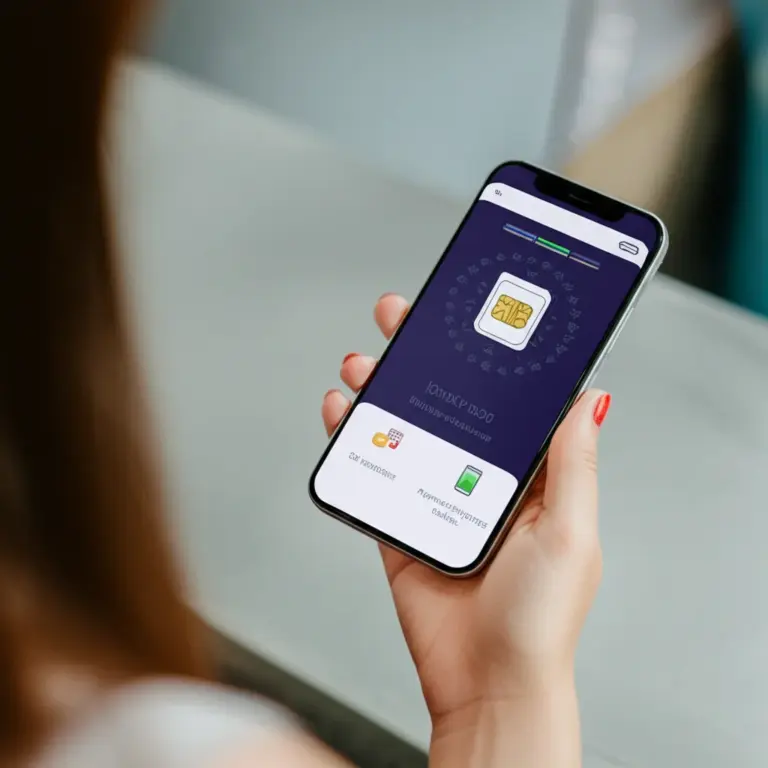
The choice between a physical SIM and an eSIM depends primarily on your device’s compatibility and your travel preferences. eSIMs offer convenience by allowing you to activate service digitally, often before you even arrive, and keep your home country’s SIM active for receiving important texts.
Top Mobile Providers (AIS, DTAC, TrueMove H)
Thailand’s market is dominated by three main carriers, each offering competitive tourist packages:
- AIS: Generally considered the leader in coverage, especially in rural areas and islands. Excellent 5G network in metropolitan areas.
- TrueMove H: Strong competitor with excellent data speeds, often offering highly attractive promotional packages for tourists.
- DTAC: Offers reliable service and often the easiest activation process for foreign tourists, particularly at airport kiosks.
Tourist SIM Packages
Most tourist packages last 8, 15, or 30 days and include unlimited high-speed data (often capped at a certain GB amount before throttling to a lower speed) and a small amount of local call credit. Prices typically range from 299 THB to 899 THB depending on the duration and data allowance.
Step-by-Step Guide: Buying and Registering Your Thai SIM
Required Documents for Activation
Due to strict Thai telecommunications regulations, all SIM cards (including eSIMs) must be registered to an individual. You must present the following documents:
- Your physical passport: A copy or photo is usually not sufficient.
- A valid visa or entry stamp: The service provider will record your immigration details and duration of stay.
Where to Buy (Airport vs. City Stores)
| Location | Pros | Cons |
|---|---|---|
| Airport Kiosks (BKK, DMK, CNX) | Immediate connectivity; staff handles registration/activation; specific tourist deals. | Slightly higher prices; long queues during peak arrival times. |
| Official Carrier Stores (e.g., AIS Shop) | Best technical support; widest range of packages; guaranteed official registration. | Requires travel into the city; potentially longer process. |
| 7-Eleven/Family Mart | Ubiquitous and convenient; good for top-ups or simple starter SIMs. | Staff may not be trained for complex foreign passport registration or activation. |
Activation and Setup Process
If purchasing at the airport or an official store, the vendor will usually complete the activation for you. If you buy an unregistered SIM from a convenience store, you must visit a local carrier shop to complete the mandatory registration using your passport. The basic steps are:
- Present your passport to the vendor.
- Choose your desired Tourist SIM package (e.g., 15-day unlimited data).
- The vendor registers the SIM card with your details.
- Insert the SIM card into your phone (or scan the QR code for eSIM).
- Restart your phone. Data and call services should begin immediately.
Mastering the Top-Up (Refill) Process
Prepaid SIMs require topping up credit (known as ‘refill’ or ‘เติมเงิน’ – *term ngern*) to extend usage or purchase new data packages. Ensure you top up before your current package expires to maintain uninterrupted service.
Digital Top-Up Methods (Apps and Websites)
The most convenient way to manage your balance is via the official carrier apps (e.g., AIS Play, DTAC App, TrueMove H App). These apps allow you to check your remaining data, view your balance, and purchase new packages using a foreign credit card or QR payment.
Physical Vouchers and Convenience Stores
If you prefer cash, you can top up at any 7-Eleven, Family Mart, or specialized top-up machine. Simply tell the cashier your phone number and the amount you wish to refill (e.g., 100 THB). They will process the payment, and the credit will be applied instantly.
Common Troubleshooting and FAQs
What to Do If Your SIM Doesn’t Work
- Check APN Settings: Ensure your Access Point Name (APN) settings are correct. While usually automatic, occasionally manual configuration is needed (e.g., for AIS, the APN is usually ‘internet’).
- Verify Registration: If you bought the SIM outside an official store, confirm it was properly registered with your passport. Unregistered SIMs are deactivated quickly.
- Check Balance: Dial the carrier’s balance check code (usually *121# or similar) to ensure you have credit and an active data package.
- Toggle Airplane Mode: Turning Airplane Mode on and off can force your phone to re-acquire the network signal.
Extending Your Validity
Tourist SIMs have a limited validity period. If your trip extends beyond the package duration, you must top up and purchase a new package to extend the SIM’s operational life. Note that the maximum validity for a tourist SIM is tied to your authorized stay in Thailand.
คำถามที่พบบ่อย (FAQ)
Is my passport always required to buy a SIM card in Thailand?
Yes, under Thai law, all prepaid and post-paid SIM cards must be registered to the user’s identity. You must present your physical passport at the time of purchase and activation, regardless of the vendor.
Can I use an eSIM if my phone is older?
eSIM capability is limited to newer smartphones, generally iPhones XR/XS and later, and recent flagship Android devices from Samsung and Google. Check your specific phone model before relying on eSIM technology for your trip.
What happens if I run out of data before my package expires?
If you deplete your high-speed data allowance, your connection will typically be throttled down to a much slower speed (e.g., 384 kbps or 1 Mbps) until the package duration ends. You can usually purchase a booster or a new high-speed data package via the carrier’s app or by dialing a specific code.
Which provider has the best coverage in remote areas like the Northern mountains or small islands?
AIS is widely recognized as having the most extensive and reliable coverage footprint across Thailand, including many remote areas and smaller islands. While all three major carriers provide excellent service in major tourist hubs, AIS often performs best when traveling off the beaten path.
References
- Staying Connected in Thailand: The Complete Guide to SIM Cards, eSIMs, and Wi‑Fi Options for Visitors and Expats
- Choosing the Right SIM Card in Thailand: Tourist SIMs vs. Long-term Plans, Coverage, and Providers (AIS, TrueMove H, DTAC)
- Managing Mobile Data, Roaming, and Cost‑Saving Tips: Data Packages, Unlimited Plans, Hotspots, and Avoiding Bill Shocks