Practical Steps to Test and Verify Speed in Thailand: Speedtest Tools, Best Locations, and Troubleshooting
- Practical Steps to Test and Verify Speed in Thailand: Speedtest Tools, Best Locations, and Troubleshooting
- Why Internet Speed Matters for Tourists in Thailand
- Essential Speedtest Tools for Thailand
- Understanding Your Speedtest Results
- Best Locations in Thailand for Reliable Internet (and where to be cautious)
- Troubleshooting Common Internet Speed Issues
- Maximizing Your Internet Experience in Thailand
- คำถามที่พบบ่อย (FAQ)
Venturing through the vibrant landscapes of Thailand, from the bustling streets of Bangkok to the serene beaches of Phuket, connectivity is often as crucial as your passport. Whether you’re sharing breathtaking photos, navigating with maps, or staying in touch with loved ones, reliable internet speed is paramount. This guide provides practical steps to test and verify your internet speed across the Kingdom, helping you understand the best tools, optimal locations, and how to troubleshoot common issues. Our goal is to ensure your Thailand Internet Speed Test experience is as smooth as your journey.
Why Internet Speed Matters for Tourists in Thailand
For modern travelers, internet access is no longer a luxury but a necessity. High-speed internet facilitates everything from booking accommodations and translating languages to streaming entertainment during downtime. Slow or unreliable connections can lead to frustration, missed opportunities, and even safety concerns if you’re unable to access vital information. Understanding your connection quality allows you to plan accordingly, ensuring your digital life keeps pace with your Thai adventures.
Tourist Tip:
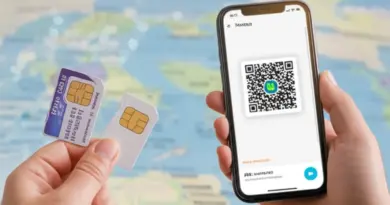
Before you even land, consider purchasing a local tourist SIM card. Major providers like AIS, TrueMove H, and Dtac offer packages with generous data allowances, often providing better speeds and reliability than hotel Wi-Fi.
Essential Speedtest Tools for Thailand
To accurately assess your internet connection, you’ll need reliable speed test tools. These applications and websites measure various aspects of your network performance.
Popular Apps & Websites
Using Built-in Device Tools
While dedicated apps are best, some devices offer network diagnostics that can give you an idea of connection quality, though not typically a full speed test. For most practical purposes, stick to the recommended speed test sites and apps.
Understanding Your Speedtest Results
A speed test provides several key metrics. Knowing what they mean will help you interpret your Thailand Internet Speed Test results effectively:
Best Locations in Thailand for Reliable Internet (and where to be cautious)
Internet speeds in Thailand can vary significantly depending on your location and the type of connection you’re using.
Major Cities & Tourist Hubs
In major urban centers like Bangkok, Chiang Mai, and Phuket, you’ll generally find excellent internet infrastructure. 5G coverage is expanding rapidly, especially in these areas, offered by major carriers. Hotels, cafes, and shopping malls often provide free Wi-Fi, though quality can vary. Expect speeds suitable for most tasks, including HD streaming and video conferencing.
Islands & Remote Areas
While popular islands like Koh Samui and Koh Phi Phi have steadily improving connectivity, the more remote islands and rural areas can still experience slower speeds and less reliable coverage. Mobile data is often your best bet here, but even then, signals can be weaker. Always run a Thailand Internet Speed Test upon arrival if connectivity is critical for your stay.
Public Wi-Fi vs. Mobile Data
Troubleshooting Common Internet Speed Issues
Encountering slow internet can be frustrating, but many issues have simple solutions. Here’s how to troubleshoot:
Basic Checks
Network Settings
Ensure your device’s Wi-Fi or cellular settings are optimized. For mobile data, check that your APN settings are correct (usually automatically configured by your SIM card provider). If using a VPN, try disabling it temporarily to see if it’s impacting your speed.
Contacting Support
If issues persist, don’t hesitate to contact your mobile carrier’s customer service or your hotel’s reception. They can often provide specific advice or reset connections from their end.
Maximizing Your Internet Experience in Thailand
To ensure you have the best possible online experience during your Thai adventure, consider these proactive steps:
Choosing the Right SIM Card
As mentioned, a local tourist SIM is highly recommended. Research providers like AIS, TrueMove H, and Dtac. They all offer competitive tourist packages. AIS is often lauded for its wide coverage, especially in more remote areas. Purchase at the airport or any convenience store. Remember to perform a Thailand Internet Speed Test on arrival to confirm your chosen network’s performance.
Watch this video to help you choose the best SIM card for your trip to Thailand, which is a crucial step in ensuring you have reliable internet speed throughout your journey.
VPN Considerations
A Virtual Private Network (VPN) can enhance your online security, especially on public Wi-Fi. However, VPNs can sometimes introduce latency and reduce speed. Choose a reputable VPN provider with servers in or near Thailand for optimal performance. If speed becomes an issue, try connecting to different VPN servers or disabling it for non-sensitive tasks.
คำถามที่พบบ่อย (FAQ)
Should I rely on hotel Wi-Fi or get a local SIM card?
Are there any free speed test apps I can download in Thailand?
Can a VPN slow down my internet speed in Thailand?
References
- Ookla Speedtest Global Index – Thailand
- AIS Traveller SIM Information
- TrueMove H Tourist SIM Information